Outlook Mailbox Size Reducer
Keep the Emails, Drop the Weight
Shrink Outlook PST and OST files by stripping attachments offline. Filter by size, file type or date, keep inline images, save removed files to a folder. The original stays as it was. Free trial.
Full seller details: Legal information.
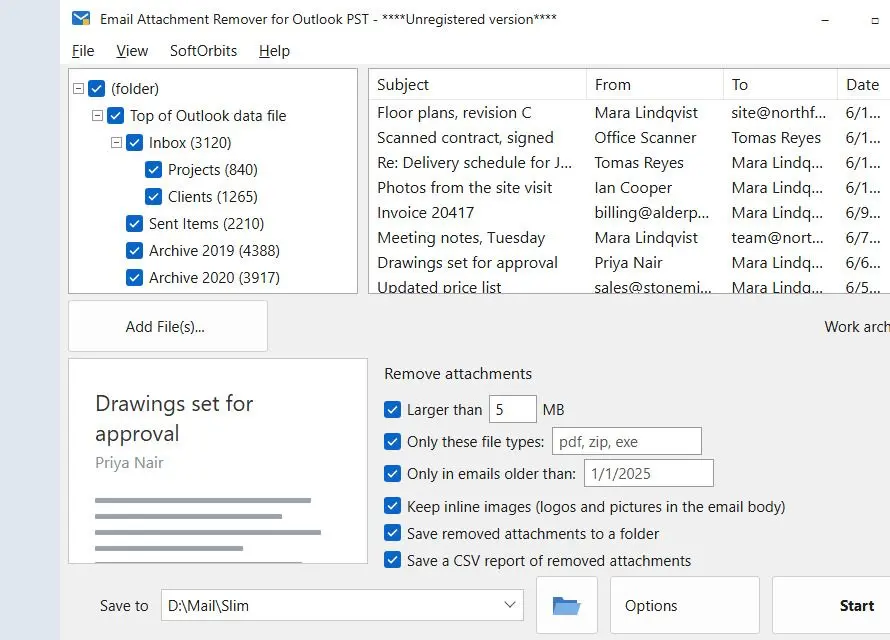
Open a heavy .pst or .ost, set a size, type or date rule, and get a new, smaller PST with every email still in its folder. The attachments that matched are gone, and each one is named in a short note at the end of its email.
Most of a big PST is attachments
Scans, drawings, ZIP archives and phone photos sent years ago are what make an Outlook data file grow to gigabytes, open slowly and stop fitting into the quota or onto the backup stick. The text people actually typed takes far less room. Classic Outlook will remove an attachment, but one email at a time, and the file often stays just as big until you compact it. This writes a fresh copy without the files you no longer need, so the space is freed right away and the original is left exactly as it was.
How to use it
Open the PST or OST
Load the mailbox file. Outlook does not have to be running, or even installed, and the file is opened read-only.
Set the filters
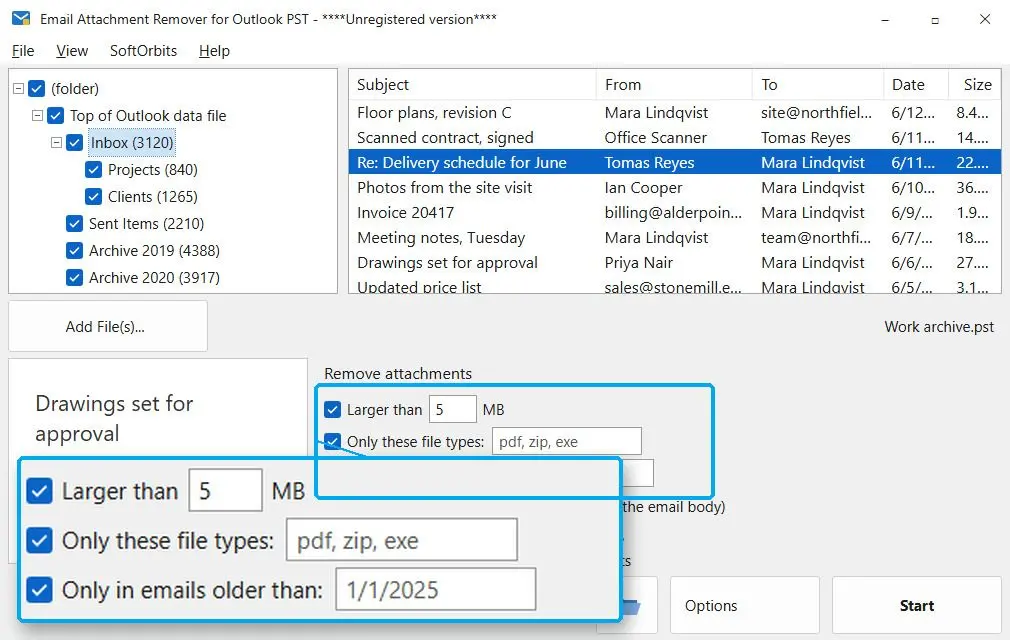
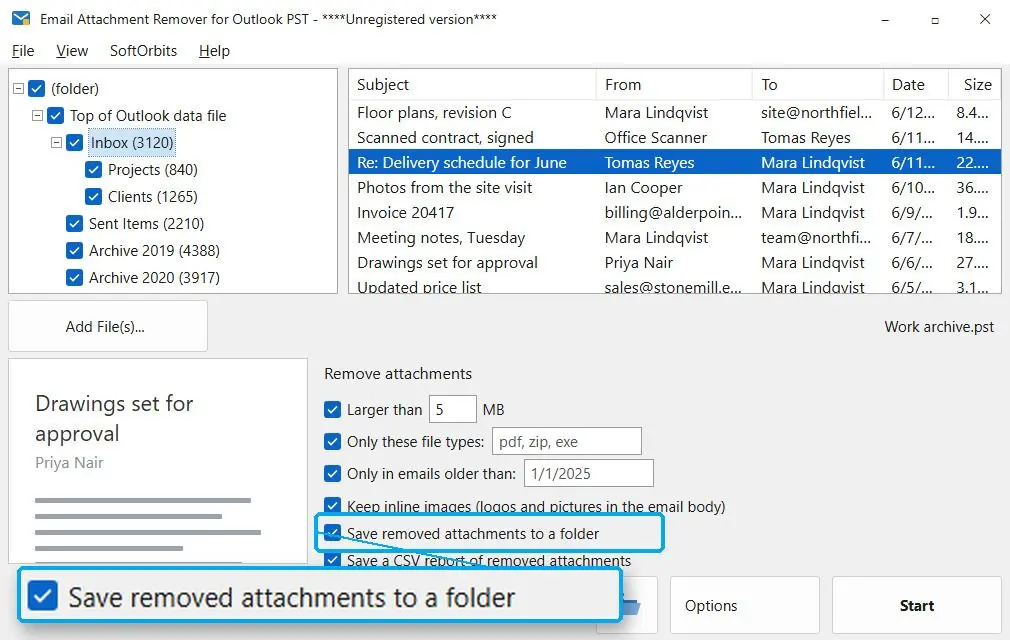
Larger than 1 MB is on by default; change the number, add a list of file types such as pdf, zip, exe, or limit it to emails older than a date. An attachment is removed only if it matches every filter you have turned on.
Decide where the cut files go, then start
Tick Save removed attachments to a folder if you want a fallback copy, keep the CSV report on and pick the output folder. When the run ends you see how many attachments were removed, from how many emails, and how much space was freed.
Benefits
The original file is never touched
The source is opened read-only, and the program will not let the result overwrite it. The output is a new Unicode PST with -no-attachments added to its name. Open it in Outlook, check a few folders, and only then decide what to do with the original.
Logos and signature pictures stay
Images embedded in the message body - company logos, signature graphics, screenshots pasted into a reply - are kept by default, even when they are bigger than your size limit, because removing them breaks the layout of the email. Untick Keep inline images if you want them gone too.
Every email says what it lost
Each affected message gets one line per removed file: Attachment removed, then the file name and size. A year from now you can still see that a contract PDF was there, and look it up in the CSV report or the saved folder.
Why people use it
A safety net for files you might want back
With Save removed attachments to a folder on, every file cut from the mailbox is written to a folder named after the PST. The CSV report lists each one with its folder, subject, date, name and size in bytes. It opens in Excel, and sorting by size shows where the space went.
Nothing changes for the people you wrote to
The program works on a PST or OST file on your own disk. Nothing is sent and nothing changes on the mail server, so your correspondents keep their emails and attachments exactly as they received them. Nothing is uploaded anywhere either.
Rules instead of right-clicks
In classic Outlook an attachment comes off one message at a time: open, remove, save, next. Outlook on the web and the new Outlook cannot remove a received attachment on their own at all. Here one set of filters covers every folder of the file in a single run.
FAQ
System Requirements
Outlook Mailbox Size Reducer
Languages
3.6
8 Mb
August 25, 2026
- Windows 11/10/8.1/8/7 (32/64 bit)
- Intel i3, AMD Ryzen 5 or above
- 4 GB of RAM or above
- NVIDIA® GeForce® series 8 and 8M, Intel® HD Graphics 2000, Quadro FX 4800, Quadro FX 5600, AMD Radeon™ R600, Mobility Radeon™ HD 4330, Mobility FirePro™ series, Radeon™ R5 M230 or higher graphics card with up-to-date drivers
- 1280 × 768 screen resolution, 32-bit color
- 1 GB of free hard disk space or above
GRT requirements trial note