
Photo Recovery
Corrupted Images Are Terrifying—Often They Are Not Actually Gone Yet
Photos won’t open or show broken thumbnails? Scan folders, preview recoverable pixels, save repaired copies to a safe drive. Picture Doctor for Windows—try before you delete.
Full seller details: Legal information.
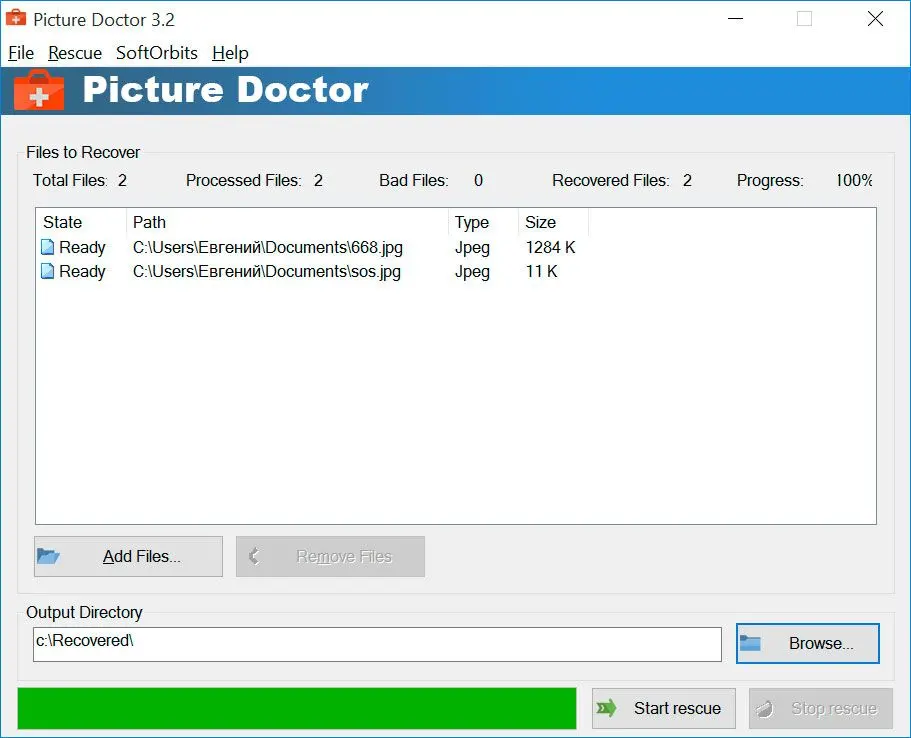
Point the app at a drive or folder, let it classify readable versus suspect files, then save good outputs elsewhere.
Recovery mindset
Not every truncated download can be fixed—but many half-written copies still carry enough data to rescue.
How to use it
Add damaged or suspect files
Import corrupted or unreadable images, or point the app at a folder—work on copies when possible.
Analyze and preview
Let the tool assess what can be repaired; preview thumbnails before you commit disk space.
Save to another location
Write recovered files to a different drive or folder and verify a few opens in a normal viewer.
Benefits

Try repair before you delete
Corrupted downloads and half-written copies sometimes still contain recoverable pixels—preview what the tool can rebuild before you give up.
See what is salvageable
Thumbnails and status hints help you focus on files that look intact instead of guessing from broken icons in Explorer.


Protect originals
Write repaired copies to a different location so you always have the untouched source if you need another pass.
Why people use it
Preview first
See what recovered pixels look like before you commit disk space.
Safer targets
Write repaired files to a different folder or drive to avoid overwriting fragile originals.
Desktop workflow
Keeps the job on hardware you control—no upload to a random “fix my photo” site.
FAQ
System Requirements
Photo Recovery
Languages
4.0
6.1 Mb
August 15, 2026
- Windows 11/10/8.1/8/7 (32/64 bit)
- Intel i3, AMD Ryzen 5 or above
- 4 GB of RAM or above
- NVIDIA® GeForce® series 8 and 8M, Intel® HD Graphics 2000, Quadro FX 4800, Quadro FX 5600, AMD Radeon™ R600, Mobility Radeon™ HD 4330, Mobility FirePro™ series, Radeon™ R5 M230 or higher graphics card with up-to-date drivers
- 1280 × 768 screen resolution, 32-bit color
- 1 GB of free hard disk space or above
GRT requirements trial note