Outlook PST Merger
One PST Instead of Five
Combine several Outlook PST and OST files into one new PST offline. Join same-name folders or keep each source apart, skip duplicate emails. Originals stay untouched. Free trial.
Full seller details: Legal information.
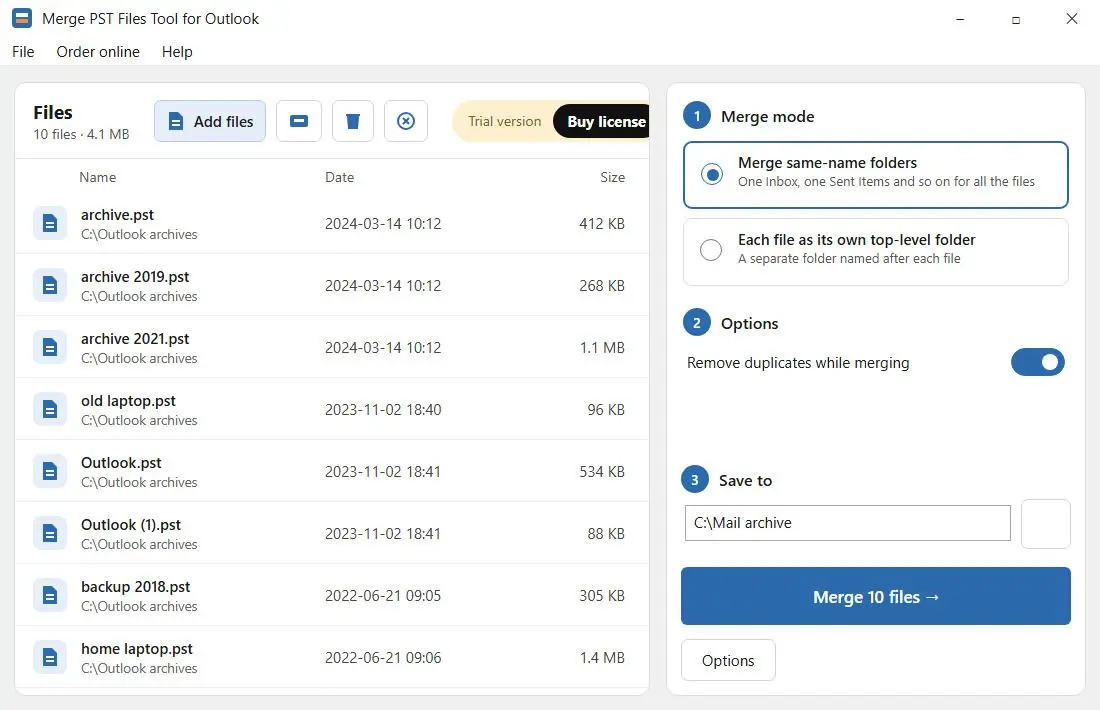
Add every .pst and .ost you have to one list, choose how the folders should join, and press Start once. You get a single new Unicode PST. The source files are only read, never written to.
Outlook imports one PST at a time
Mail piles up in pieces: archive.pst from the old desktop, a backup copy off the laptop, an OST from a profile that no longer exists, a yearly archive nobody remembers making. Outlook can bring them together, but only through the Import wizard - one file per pass, a fresh question each time about where the mail should go, and Outlook open the whole time. With six files that is an afternoon, and the duplicates from overlapping backups come along anyway. This does the job in a single run and writes the result to a new file, so the mailbox you work in every day stays out of it.
How to use it
Add the files
Click Add files or Add folder and pick your .pst and .ost files, older ANSI PST files included. The order of the list matters: with duplicate removal on, the copy from the file higher up is the one that stays.
Choose how the folders join
Merge same-name folders gives you one Inbox, one Sent Items and one shared tree. Each file as its own top-level folder puts every source under its own name instead, so the old work PC and the home laptop are still easy to tell apart.
Start and open the result
Turn on duplicate removal if the archives overlap, check the Save to folder and start. The final message tells you how many emails and files went in. Then open the new PST in classic Outlook as an Outlook data file.
Benefits
Your source files are only read
Every PST and OST is opened read-only. The merged mail goes into a new file that keeps a temporary name until the very last step, so pressing Stop leaves no half-written PST behind and nothing in the originals changed.
Duplicates caught across all the files
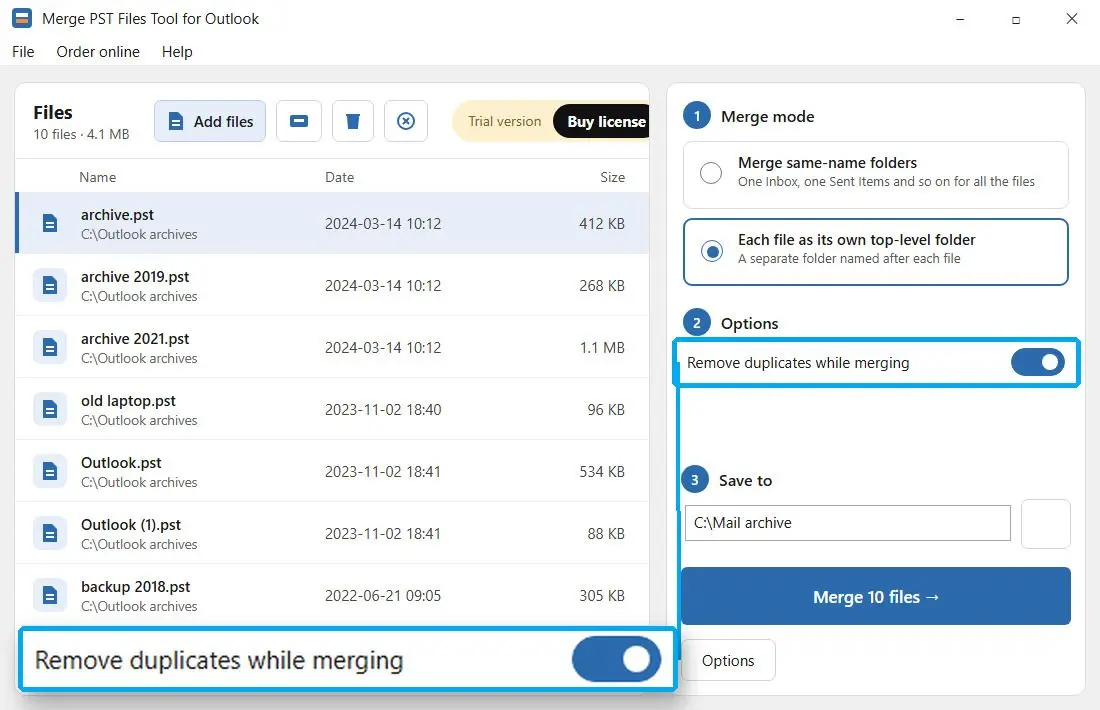
Overlapping backups are the usual reason a merged archive shows every reply three times. With the switch on, an email counts as a repeat when the subject, sender and message text match, with Re:, Fw: and Fwd: ignored. The first copy in list order is kept, and the number skipped is reported at the end.

Big archives, steady memory
Messages are written in batches of 2,000, so memory use stays flat whether you add two files or twenty, a few megabytes of mail or several gigabytes.
Why people use it
Keep track of which PST came from where
After a few computer moves there is usually a drive with Outlook.pst, Outlook (1).pst and backup.pst on it. In the folder-per-file mode each one becomes a top-level folder named after its file. Two sources with the same name show up as Outlook and Outlook (2), so neither overwrites the other.
When to leave duplicate removal off
Newsletters and automatic reports often come from the same sender with the same subject and the same text on different days. Dates are not compared, so those would be treated as one message. For an archive full of them, leave the switch off - it starts off every time you open the program anyway.
A bad file stops the run before anything is written
All sources are opened before a single message is copied. If a path is wrong or a PST is damaged, the run stops with an error instead of producing a merged file with a hole in it. A damaged PST needs repairing first - this tool merges files, it does not fix them.
FAQ
System Requirements
Outlook PST Merger
Languages
3.4
8 Mb
August 7, 2026
- Windows 11/10/8.1/8/7 (32/64 bit)
- Intel i3, AMD Ryzen 5 or above
- 4 GB of RAM or above
- NVIDIA® GeForce® series 8 and 8M, Intel® HD Graphics 2000, Quadro FX 4800, Quadro FX 5600, AMD Radeon™ R600, Mobility Radeon™ HD 4330, Mobility FirePro™ series, Radeon™ R5 M230 or higher graphics card with up-to-date drivers
- 1280 × 768 screen resolution, 32-bit color
- 1 GB of free hard disk space or above
GRT requirements trial note