EML Email Reader
Every .eml in One Readable List
Open and read EML email files on Windows without an email client. Browse whole folders of messages, view each one as sent, open attachments, print or save a copy. Free trial.
Full seller details: Legal information.
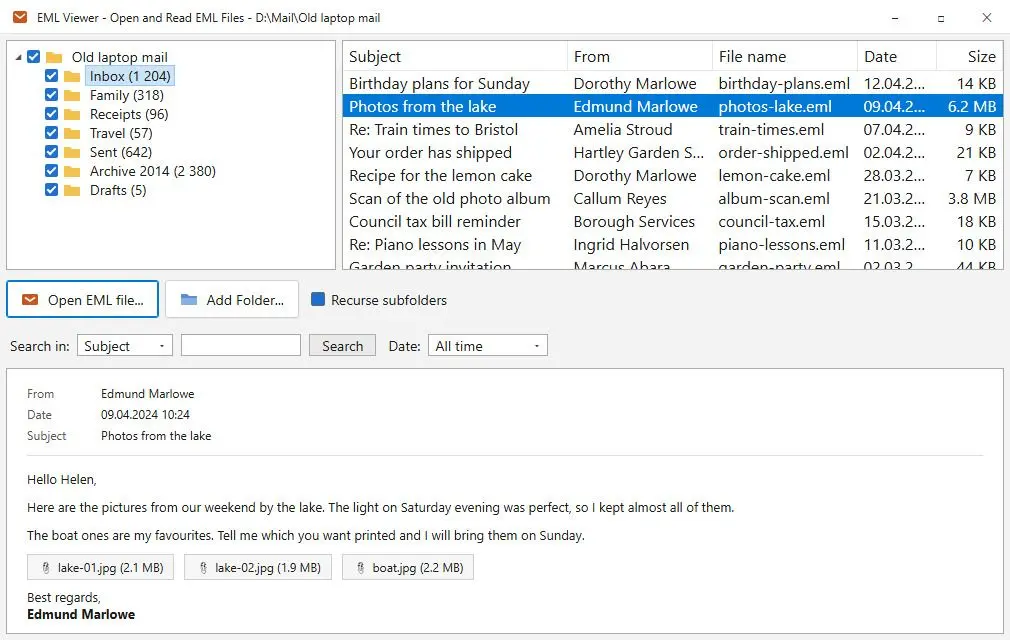
Add one .eml or a whole folder of them and get a list with sender, subject and date. Click a row to read the message the way it was sent, with its layout, pictures and attachments. No mail program, no account, nothing imported.
Hundreds of .eml files and nothing to read them with
An .eml is one email saved as a file. Webmail downloads them one at a time, Thunderbird and Windows Live Mail export them, and a colleague sends a ZIP with a hundred of them inside. Double-click one and Windows either asks what to open it with or hands it to a mail app that wants an account first. Notepad shows raw headers and blocks of base64. What you actually want is smaller than all that: see the pile as a list and read the one message you came for. That is what this does, and nothing more.
How to use it
Add a file or a folder
Open a single .eml, drag a folder onto the window, or use Add Folder with Recurse subfolders switched on to keep the nesting of an old archive. Each disk folder shows up in the tree with its message count.
Find the message
The list shows subject, sender, date and size for every message. Search by subject, sender or file name, and cut it down to the last week, the last month, this year or a date range of your own.
Read, save or print
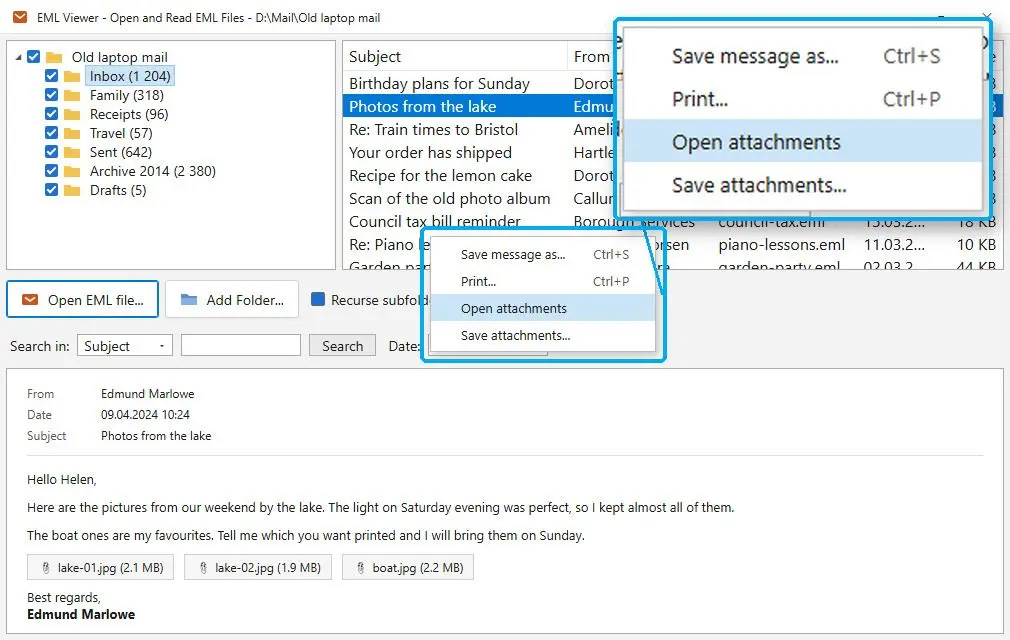
Click a row and the message opens in the preview with its layout and embedded pictures. Save it as EML or as an HTML page, print it through the normal Windows dialog, or pull its attachments out to a folder. One message at a time, the one you picked.
Benefits

No mail program, no account
Nothing else has to be installed and no mailbox has to be set up before you can look at a file. That matters when the mail came off an old laptop, belonged to a former employee or was saved by a program nobody uses anymore.
Old encodings come out right
Mail from twenty years ago is rarely UTF-8. Each part is decoded with the character set it declares, from Windows-1251 and KOI8-R to ISO-8859, Big5, Shift_JIS, GB18030 and EUC-KR, so Russian, Japanese or Chinese letters show up as text instead of question marks.

Opening a message tells nobody
Remote images are never loaded, so a tracking pixel in a newsletter cannot report that you opened it or from which IP address. Scripts, frames and event handlers are stripped from the HTML before it is shown.
Why people use it
A broken file does not stop the scan
A folder of five hundred messages usually hides a few damaged ones. Those stay in the list with the reason they cannot be read, and the rest of the folder loads as normal.
Attachments come out carefully
Open attachments extracts the files to a temporary folder and shows it in File Explorer, and nothing is launched on its own. Save attachments copies them where you choose, numbers duplicates instead of overwriting them, and marks them as downloaded so Windows and Office warn you before they open.
Your mail stays on this PC
Files are read from your own disk. Nothing is uploaded and there is no account to create. Your default program for .eml is left alone too: the reader is only added to the Open with menu.
FAQ
System Requirements
EML Email Reader
Languages
3.8
25 Mb
August 11, 2026
- Windows 11/10/8.1/8/7 (32/64 bit)
- Intel i3, AMD Ryzen 5 or above
- 4 GB of RAM or above
- NVIDIA® GeForce® series 8 and 8M, Intel® HD Graphics 2000, Quadro FX 4800, Quadro FX 5600, AMD Radeon™ R600, Mobility Radeon™ HD 4330, Mobility FirePro™ series, Radeon™ R5 M230 or higher graphics card with up-to-date drivers
- 1280 × 768 screen resolution, 32-bit color
- 1 GB of free hard disk space or above
GRT requirements trial note