
Mail Backup and Archiving Tool
Every Mailbox You Have, Backed Up to One Folder
Back up Gmail, Yahoo, AOL, iCloud or a mailbox on your own domain to EML, MBOX or PST files on your PC. Keeps the folder tree, and each next run saves only new mail. Free trial.
Full seller details: Legal information.
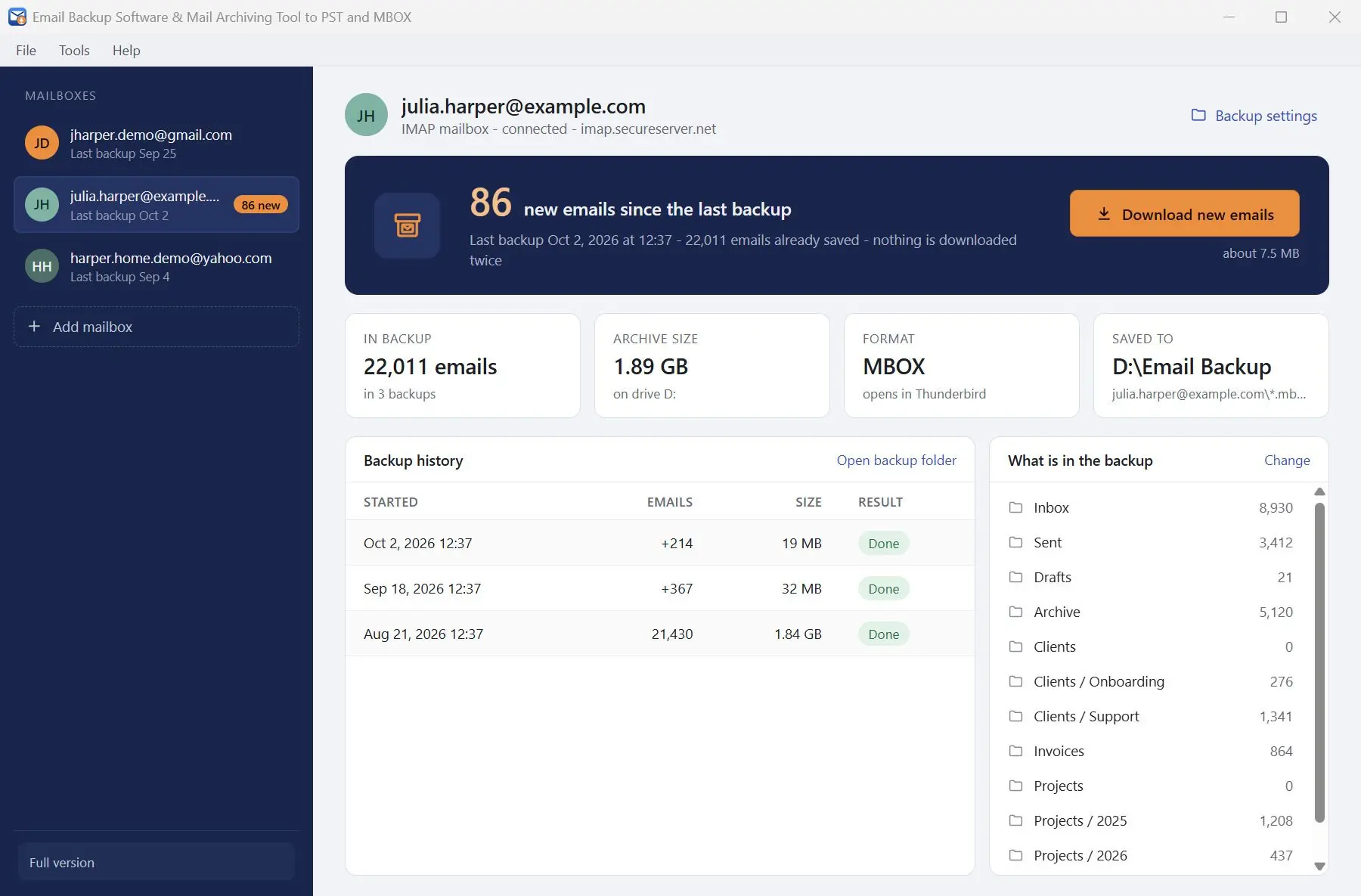
Add a Gmail, Yahoo, iCloud or hosted mailbox, or type in the server of any IMAP account. Tick the folders, choose EML, MBOX or PST, and each mailbox gets its own folder on your disk. The next run fetches only the mail that is new.
A synced mail app is not a backup
Outlook or Thunderbird connected over IMAP shows what the server holds and repeats every change made there. Delete a thread on your phone by mistake and it is gone from the PC after the next sync. Let a hosting plan lapse and the mail on that domain goes with it. A backup is a copy that no longer depends on the provider: plain files on your own disk that stay exactly as they were saved, whatever happens to the account afterwards.
How to use it
Add a mailbox
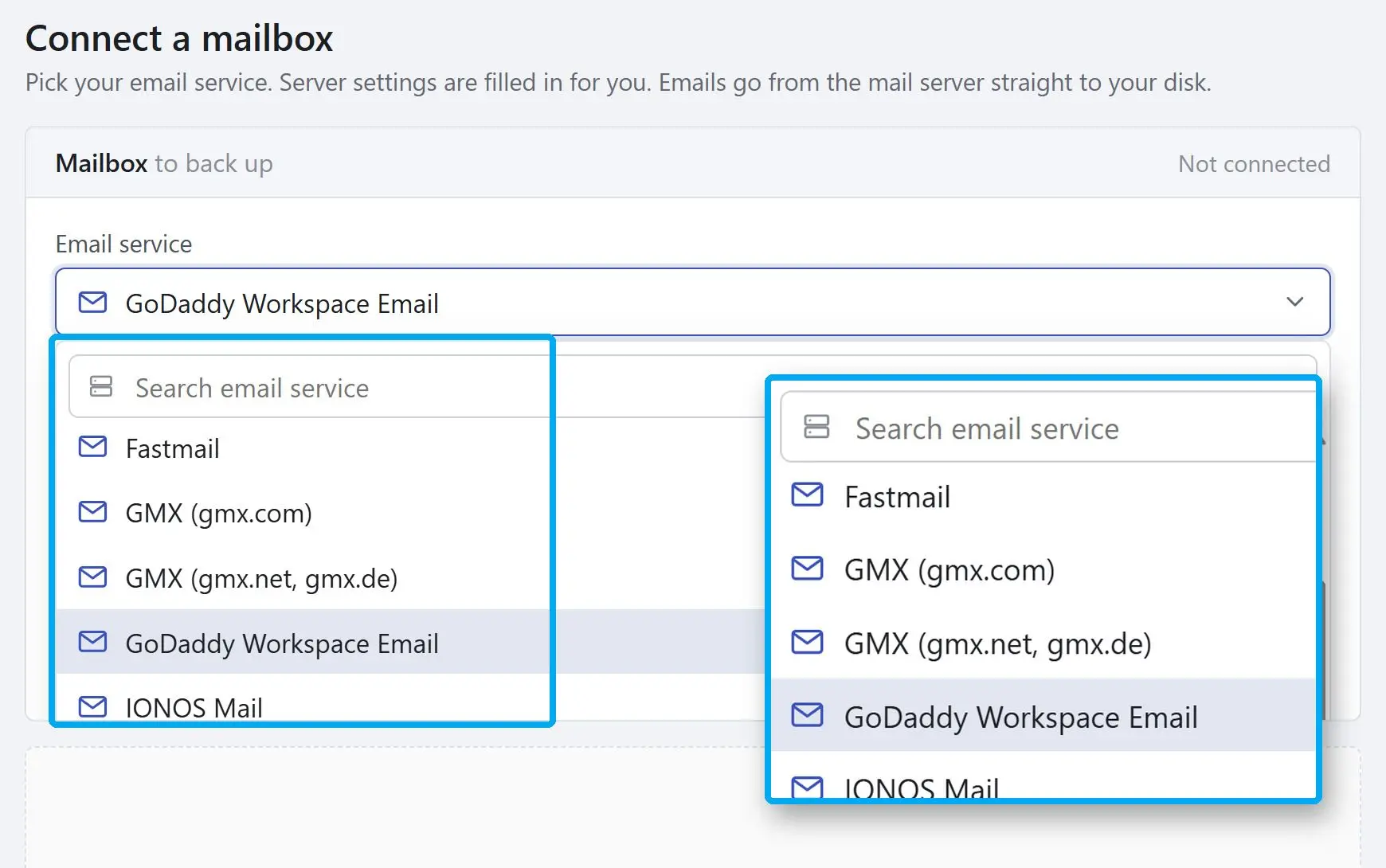
Type the address. For a known domain the service is picked for you and the server, port and encryption are filled in. For mail on your own domain, choose the host from the list or Other IMAP server, then click Test to check the connection stage by stage.
Tick the folders
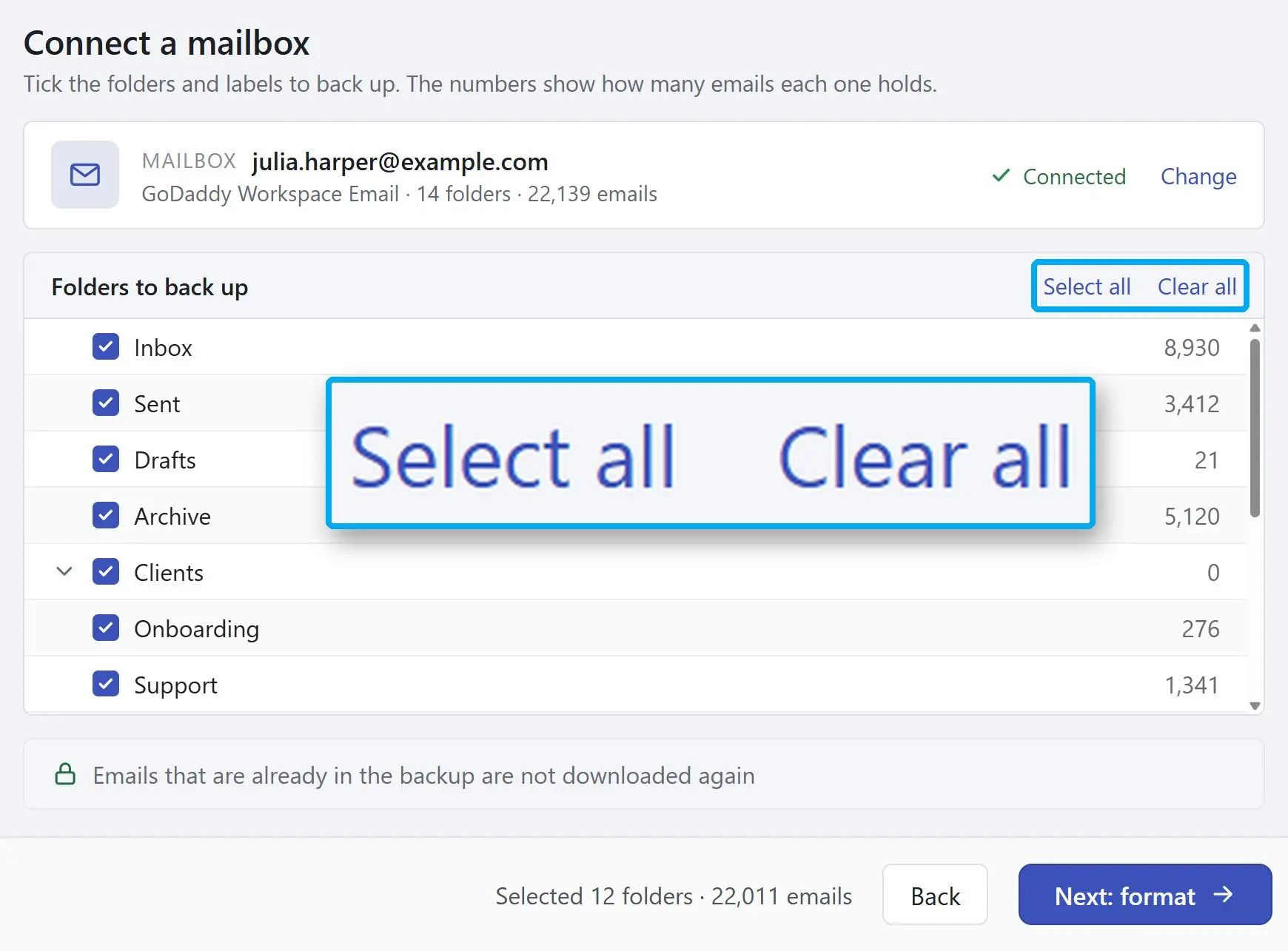
Each folder shows its email count, and the line at the bottom adds up what is selected, so you know the size of the job before it starts. Spam and Trash come unticked when the server marks them as such.
Save it, then add the next one
Pick EML, MBOX or PST, set the destination and start. When the backup is complete, add the next address. Every mailbox stays in the list on the left with its own backup history.
Benefits

Ready settings for the big services and the hosts
Gmail, Yahoo, AOL, iCloud, Zoho, GMX, Fastmail, GoDaddy, IONOS, Rackspace, Namecheap and a dozen more come with their server settings filled in. If yours is not on the list, enter the host and port yourself - 993 with SSL/TLS, 143 with STARTTLS.
Files that outlive the program
The result is EML, MBOX or PST in a folder you choose, not a database that only this program can read. Uninstall it tomorrow and the files still open in Outlook, Thunderbird, Apple Mail or Windows Mail.
Repeat runs fetch only new mail
Come back to a mailbox you saved before and the Home screen shows how many emails arrived since. One click downloads just those into the same backup. Keep the same destination folder, or the program cannot tell what is already there.
Why people use it
Before a hosting plan or an address is closed
Sign in to every address on the domain and download it while the source still exists. Then open a few of the saved emails on your PC. The program only downloads - it cannot upload mail back into a mailbox - so the time to check is before the account is gone.
PST for Outlook, MBOX for Thunderbird
PST is one Outlook data file per mailbox, built without Outlook on the PC and appended to on each later run. It keeps read and unread state, but not raw headers or follow-up flags. MBOX writes one file per folder in the layout Thunderbird uses. EML is one file per email, named by date and subject.
Read-only, and nothing goes through us
The program reads from the mail server and writes to your disk. It cannot delete a message, move it or mark it as read. Mail never passes through our servers, and the password is not stored - you type it again in each new session.
FAQ
System Requirements
Mail Backup and Archiving Tool
Languages
3.3
67.7 Mb
August 21, 2026
- Windows 11/10/8.1/8/7 (32/64 bit)
- Intel i3, AMD Ryzen 5 or above
- 4 GB of RAM or above
- NVIDIA® GeForce® series 8 and 8M, Intel® HD Graphics 2000, Quadro FX 4800, Quadro FX 5600, AMD Radeon™ R600, Mobility Radeon™ HD 4330, Mobility FirePro™ series, Radeon™ R5 M230 or higher graphics card with up-to-date drivers
- 1280 × 768 screen resolution, 32-bit color
- 1 GB of free hard disk space or above
GRT requirements trial note