
Bulk Photo Watermark
Watermark a Whole Folder Before Anyone Reposts It
Protect hundreds of photos in one pass. Add a text or logo watermark across a whole folder, set opacity, position, and size, then export protected copies while originals stay untouched. Windows, offline - try the trial.
Full seller details: Legal information.
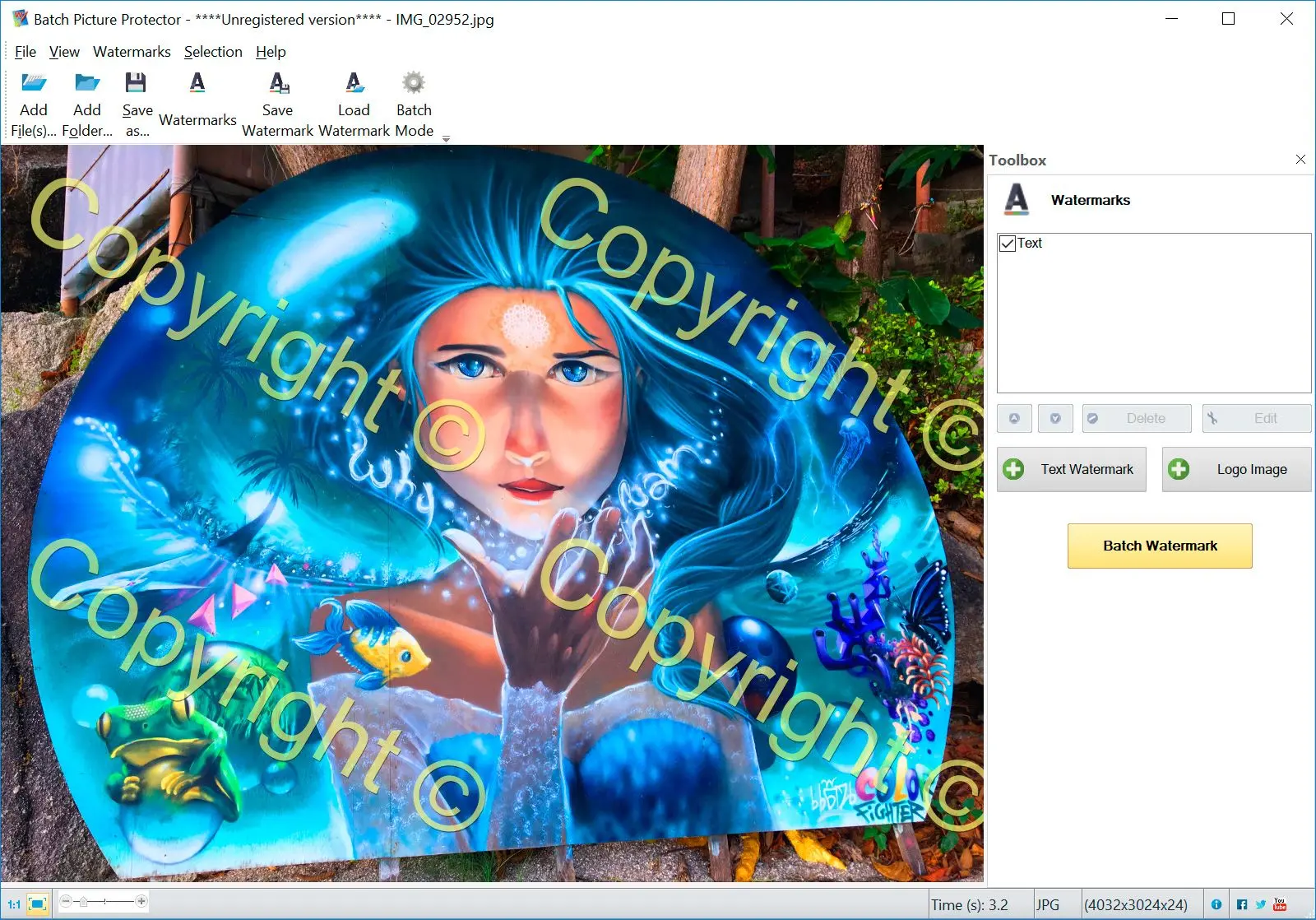
Add text or a logo, tune opacity and position once, and stamp every photo in the folder in a single batch run.
For photographers and shops that post in bulk
When you upload dozens of images a week and want your name or logo on each one without opening them one by one.
How to use it
Set up the watermark
Type your text or load a logo, then set opacity, size, and where it sits - a corner, the center, or tiled across the frame.
Point at a folder
Select the whole folder of photos and preview how the first image will look before you commit.
Run the batch
Stamp every image in one pass and write protected copies to a new folder so your originals stay clean.
Benefits

One pass for the whole folder
Set text or logo, opacity, and placement once, then watermark hundreds of photos without touching them one at a time.
Text or logo, placed your way
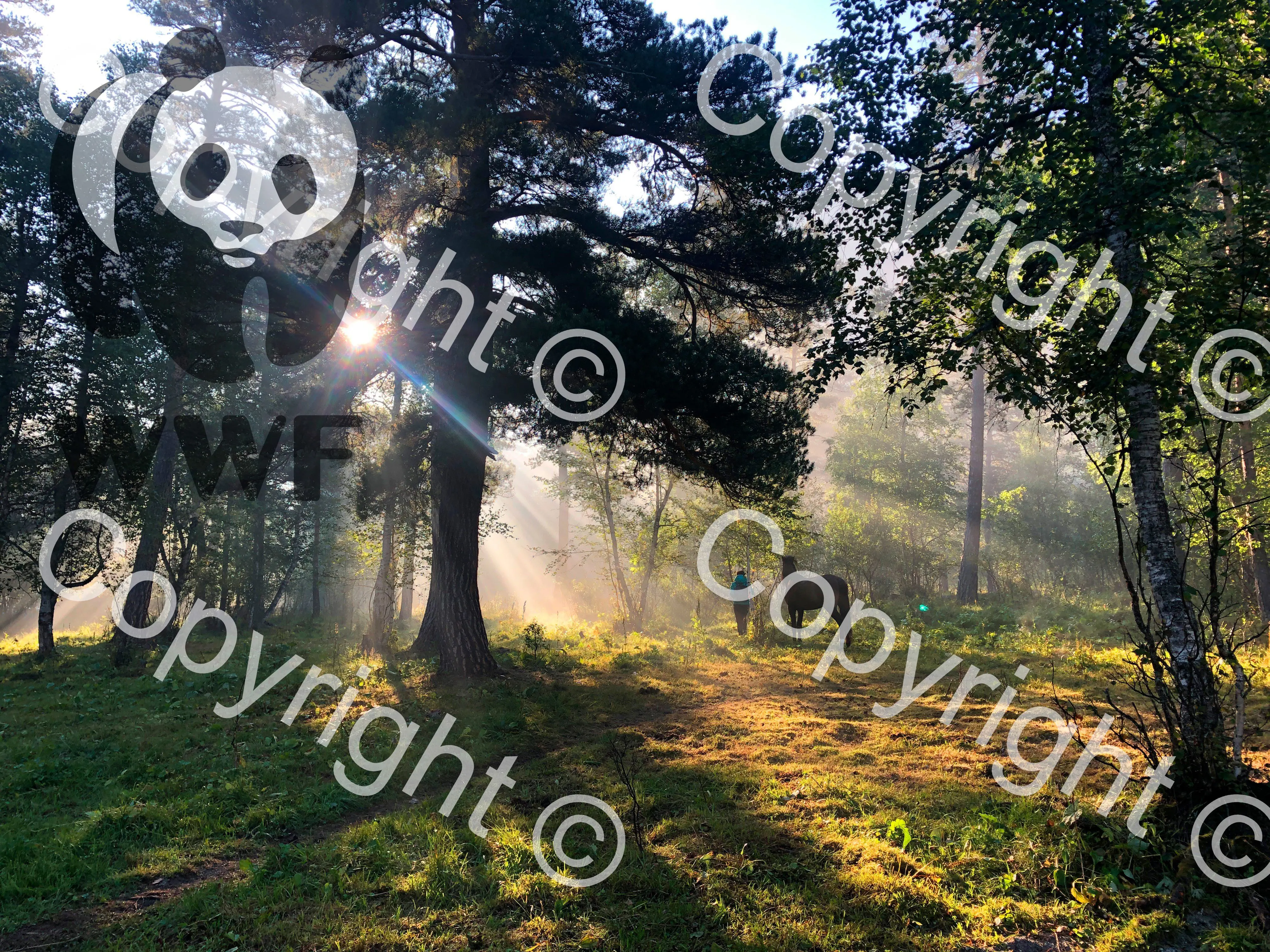
Drop a copyright line or a brand logo in a fixed corner, dead center, or tiled across the image so it cannot be cropped out easily.
Originals stay untouched
Protected copies go to a separate folder, so you keep clean masters to re-export if the brief changes.
Why people use it
Runs offline
Everything happens on your PC - no upload, no account, no third party touching your photos.
Tile or single mark
Use one discreet mark or a repeating tile that survives a crop attempt.
Batch and command line
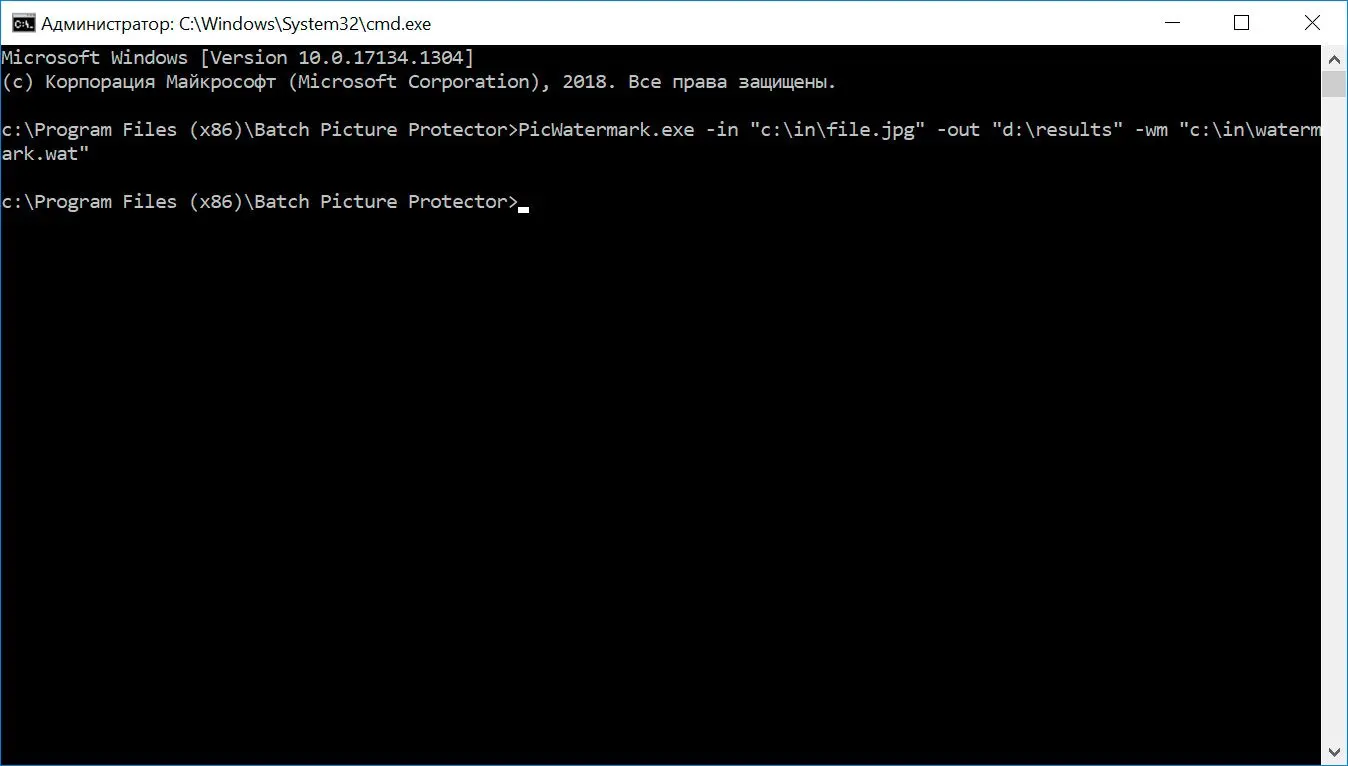
Drive it from the interface or wire the batch into a command-line step for repeat jobs.
FAQ
System Requirements
Bulk Photo Watermark
Languages
7.1
13.3 Mb
August 6, 2026
- Windows 11/10/8.1/8/7 (32/64 bit)
- Intel i3, AMD Ryzen 5 or above
- 4 GB of RAM or above
- NVIDIA® GeForce® series 8 and 8M, Intel® HD Graphics 2000, Quadro FX 4800, Quadro FX 5600, AMD Radeon™ R600, Mobility Radeon™ HD 4330, Mobility FirePro™ series, Radeon™ R5 M230 or higher graphics card with up-to-date drivers
- 1280 × 768 screen resolution, 32-bit color
- 1 GB of free hard disk space or above
GRT requirements trial note