
Windows Privacy Cleaner
Decide What Windows Is Allowed to Know About You
Windows logs your activity, app history, and browser traces, then reports them back to Microsoft. Switch off the tracking, wipe the leftovers, and stay in control on Windows 11, 10, 8.1, 8, and 7. Updated for Windows 11 24H2 - try the trial.
Full seller details: Legal information.
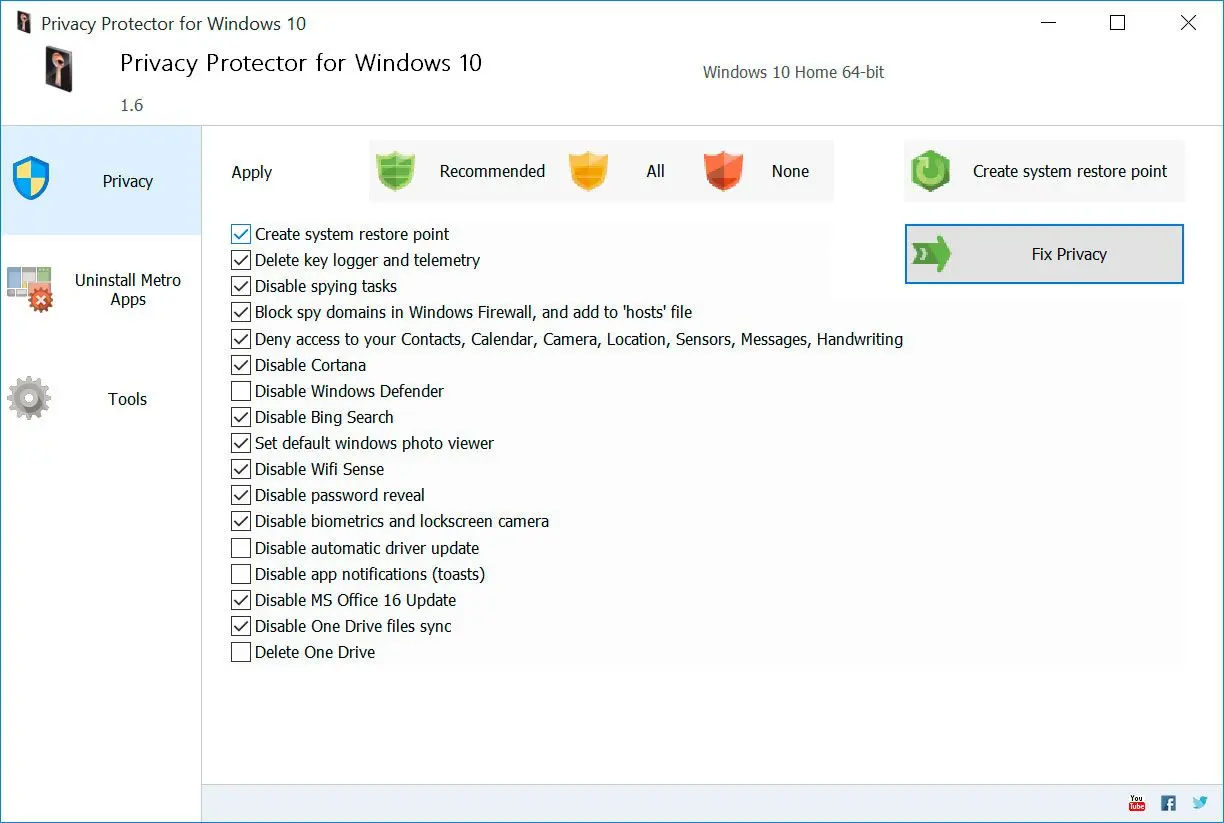
Turn off telemetry, clear activity history, and scrub app and browser traces in one desktop app - nothing leaves your PC.
For people who never agreed to be tracked
Windows turns data collection on by default. This tool hands you the off switches and a one-pass cleanup, all on your own machine.
How to use it
Review what Windows tracks
Open the app and see telemetry, activity history, app traces, and browser leftovers sorted into plain categories.
Turn off the data flow
Disable the settings that send tracking and keylogger data to Microsoft, using safe presets you apply in one click.
Wipe the leftover traces
Clear stored history and per-app traces; it all runs locally, so nothing is uploaded anywhere.
Benefits

Stop telemetry at the source
Block the background channels that report your activity and keystrokes to Microsoft, instead of only deleting logs after the fact.
Clear the traces apps leave behind
Wipe activity history plus the files and browser records that pile up while you work, in a single pass.


Stays current with Windows
Covers Windows 11, 10, 8.1, 8, and 7, and is updated for the Windows 11 24H2 release.
Why people use it
Runs offline
Everything happens on your PC - no account, no cloud, no second tracker watching the first.
One-click presets
Sensible defaults if you do not want to read 200 toggles, with manual control when you do.
Wide Windows support
From Windows 7 through Windows 11 24H2 on the same install.
FAQ
System Requirements
Windows Privacy Cleaner
Languages
14.0
5.4 Mb
August 6, 2026
- Windows 11/10/8.1/8/7 (32/64 bit)
- Intel i3, AMD Ryzen 5 or above
- 4 GB of RAM or above
- NVIDIA® GeForce® series 8 and 8M, Intel® HD Graphics 2000, Quadro FX 4800, Quadro FX 5600, AMD Radeon™ R600, Mobility Radeon™ HD 4330, Mobility FirePro™ series, Radeon™ R5 M230 or higher graphics card with up-to-date drivers
- 1280 × 768 screen resolution, 32-bit color
- 1 GB of free hard disk space or above
GRT requirements trial note