Outlook PST Splitter
Split a Bloated Outlook PST Into Smaller Files Without Touching the Original
Break an oversized Outlook .pst or .ost archive into several smaller PST files by size, date, folder or sender - offline, without Outlook running. Your original file is never changed. Free trial from GRTSoft.
Full seller details: Legal information.
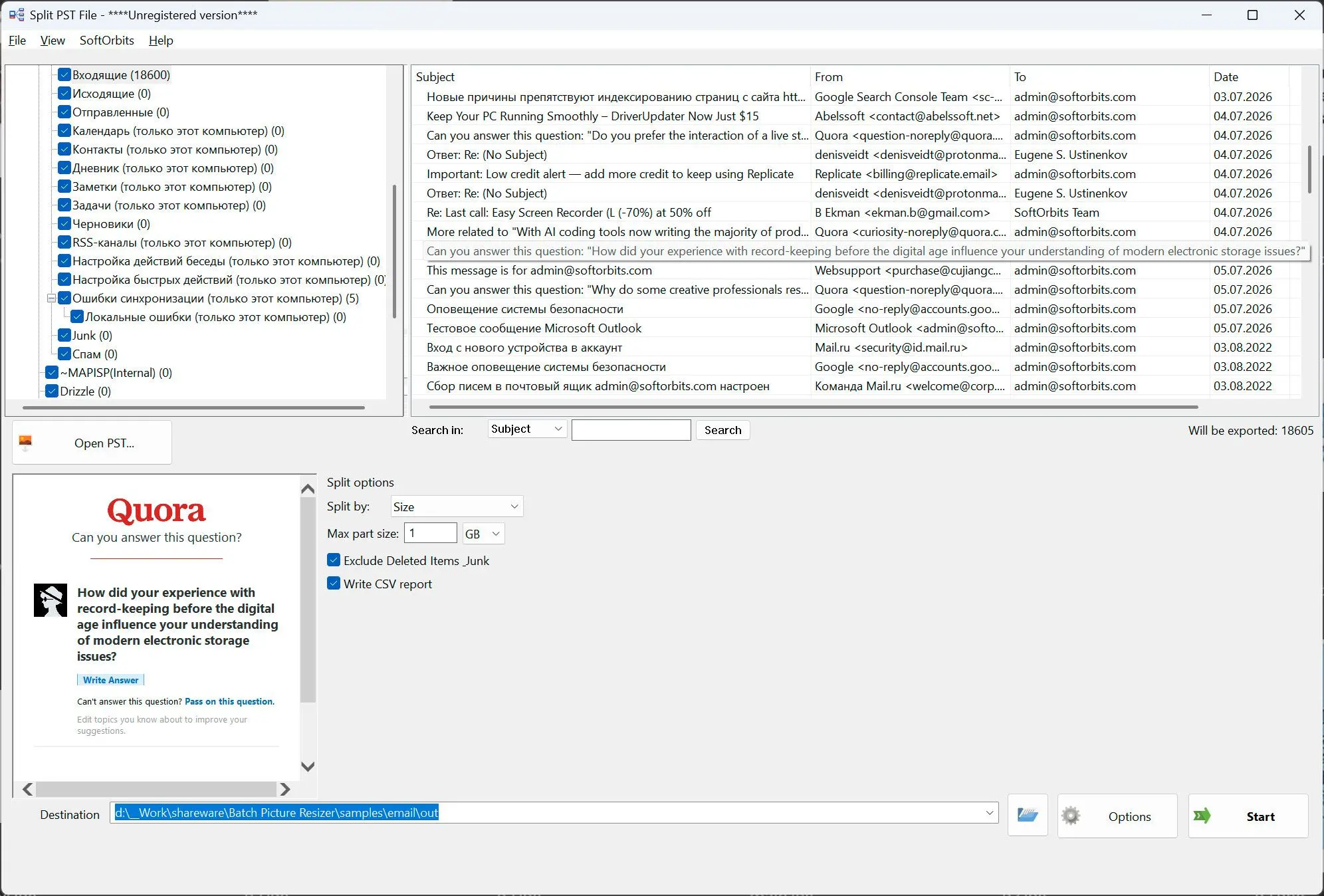
Open a .pst or .ost archive, pick how to divide it, and get several smaller PST files in a folder you choose - the source archive is left exactly as it was.
A PST that keeps growing until Outlook starts to struggle
Years of mail push a single .pst past the point where Outlook stays quick, and near the old size limits the file gets slow to open or risks corruption. It will not fit in a cloud folder or an email either. This reads the archive directly and writes it back out as smaller PST files, offline on your own PC, so nothing leaves the machine.
How to use it
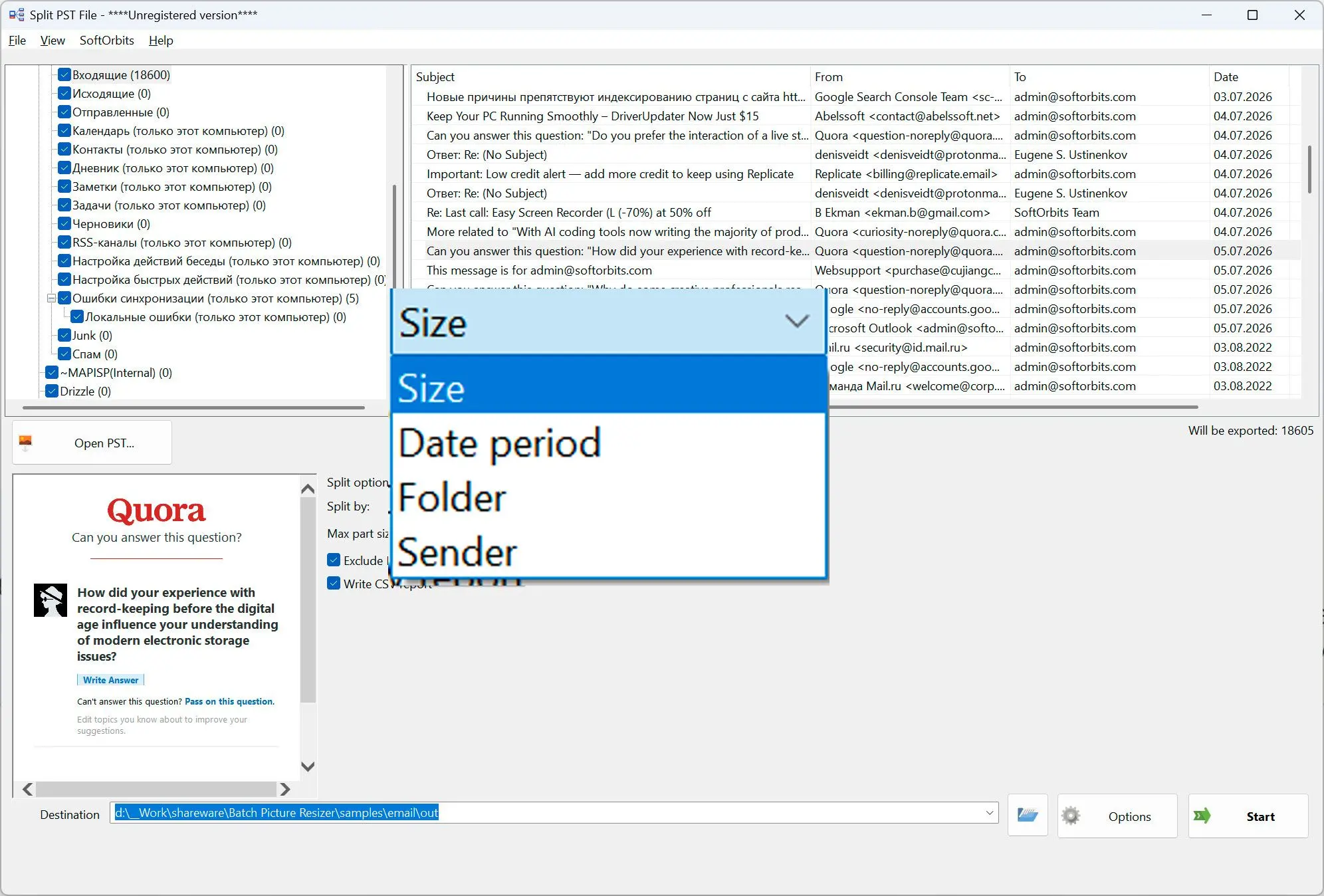
Open your .pst or .ost file
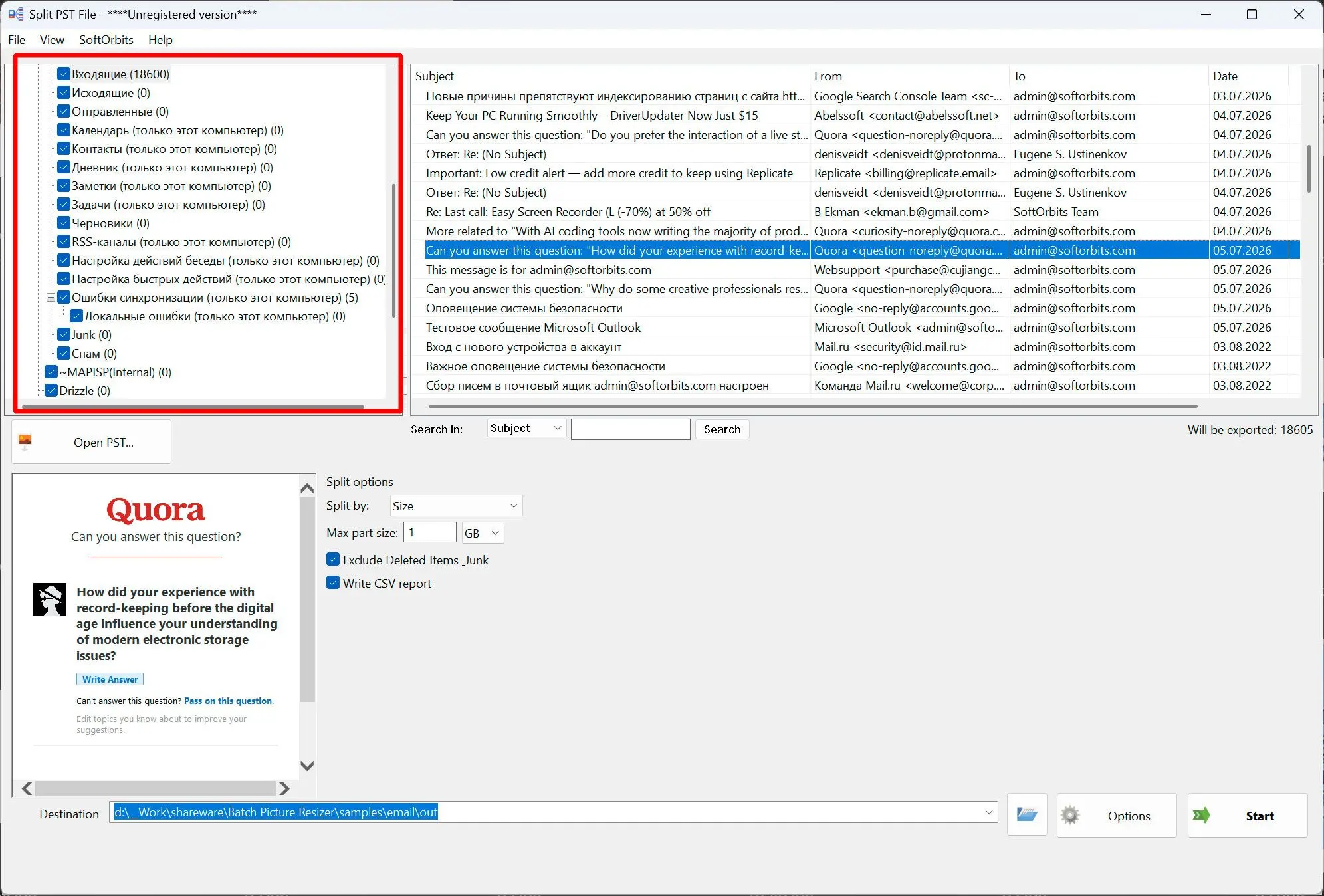
Point it at the archive and the folder tree appears with checkboxes. Outlook does not have to be installed or running - the file is read directly.
Choose how to split it
Divide by size with a threshold you set, by date period into years, months or weeks, by top-level folder, or by sender. Optionally leave Deleted Items and Junk out of the result.
Save the smaller PST files
Each part is written as its own PST in the destination folder you pick, with the folder layout kept, plus a CSV report listing every part, its file name and message count. Your original is never modified.
Benefits
Your original file is never edited
Nothing is removed from the source archive. The parts come out as brand new PST files, so a large mailbox is never put at risk while you split it.
Split the way that fits your archive
By size to keep every part under a cap, by year or month to archive cleanly, by folder to separate accounts, or by sender to pull one correspondent out into their own file.
A report you can check
Every part is written to a CSV with its file name, message count and size, so you can confirm the whole mailbox was covered before you rely on the split.
Why people use it
By size, with your own limit
Set a threshold such as 1 GB and each part is filled up to it, never cutting a single message in half - an oversized message simply becomes its own part.
By year, month or week
Turn a long history into tidy dated archives; messages with no date are kept together in their own part instead of being dropped.
Leave out the clutter
Skip Deleted Items and Junk in one checkbox so the parts hold only the mail you actually want to keep.
FAQ
System Requirements
Outlook PST Splitter
Languages
1.0
8 Mb
August 5, 2026
- Windows 11/10/8.1/8/7 (32/64 bit)
- Intel i3, AMD Ryzen 5 or above
- 4 GB of RAM or above
- NVIDIA® GeForce® series 8 and 8M, Intel® HD Graphics 2000, Quadro FX 4800, Quadro FX 5600, AMD Radeon™ R600, Mobility Radeon™ HD 4330, Mobility FirePro™ series, Radeon™ R5 M230 or higher graphics card with up-to-date drivers
- 1280 × 768 screen resolution, 32-bit color
- 1 GB of free hard disk space or above
GRT requirements trial note