GRT Photo Editor
Test Bold Photo Ideas in Minutes - Before You Burn a Day in a Giant Suite
Need a dramatic edit without 40 manual layers? Guided adjustments, masks and presets - files stay on your disk. Photo Editor for Windows; try the free trial.
Full seller details: Legal information.
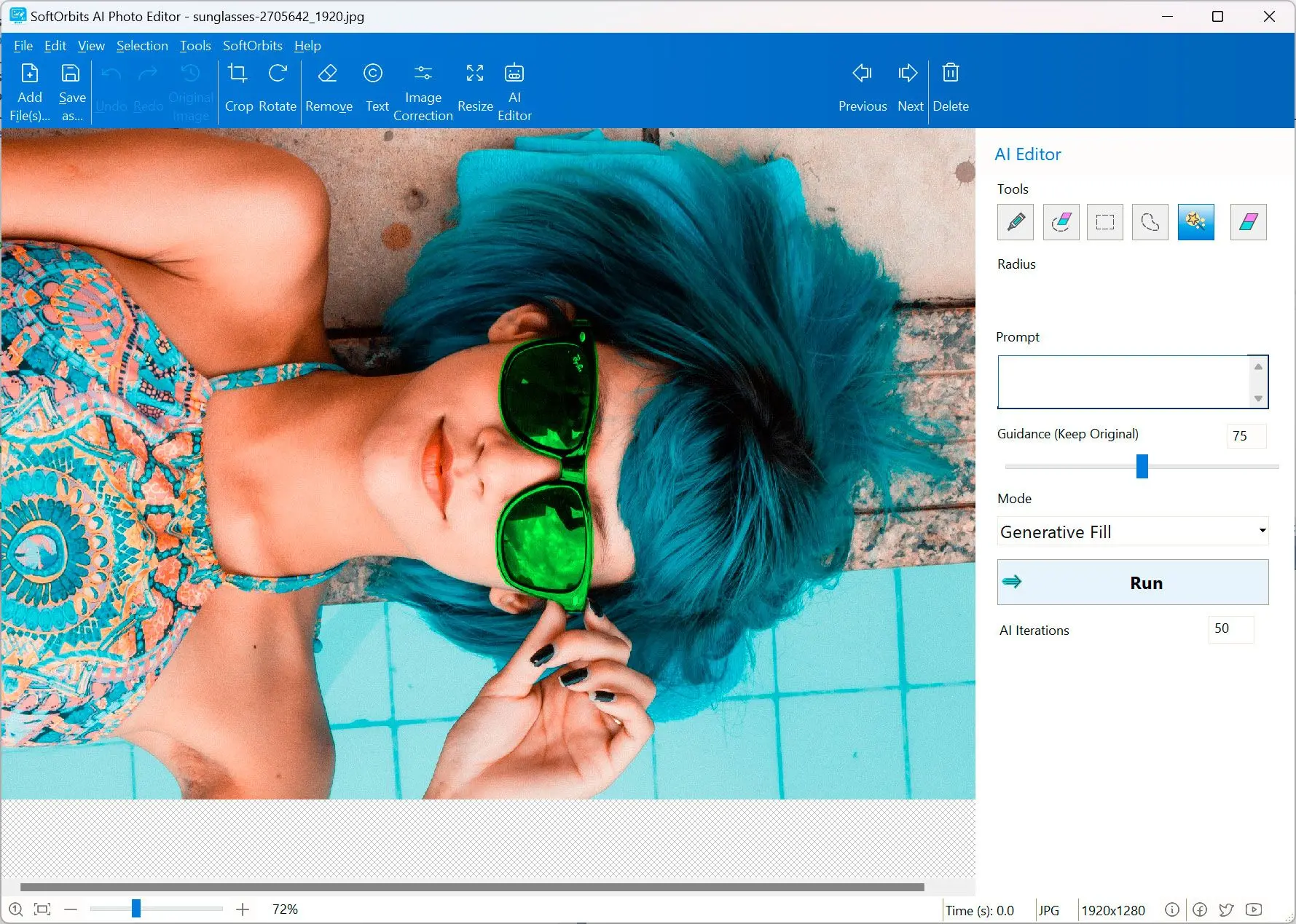
Open an image, pick a tool category, refine edges, export.
Creative playground
Not a full creative suite - just quick photo ideas before you commit hours in another app.
How to use it
Open a photo
Load an image you want to enhance with adjustments, masks, or presets.
Refine your selection
Adjust masks and strength until the preview matches the look you want.
Save locally
Export the result; repeat on similar shots if you can save a preset or recipe.
Benefits

Guided edits


Swap skies, soften backgrounds, or punch color with masks and selections while files stay on your disk.
Refine before you commit
Adjust selections and strength until the preview matches the story you want the photo to tell.
Preset repeatability
Save recipes for shoots with similar lighting so batch work feels less random.
Why people use it
Local saves
Projects stay on disk you control.
Masking helpers
Rough selections get you 80% there.
Frequent updates
Subscription options include ongoing feature updates.
FAQ
System Requirements
GRT Photo Editor
Languages
11.0
16.9 Mb
July 25, 2026
- Windows 11/10/8.1/8/7 (32/64 bit)
- Intel i3, AMD Ryzen 5 or above
- 4 GB of RAM or above
- NVIDIA® GeForce® series 8 and 8M, Intel® HD Graphics 2000, Quadro FX 4800, Quadro FX 5600, AMD Radeon™ R600, Mobility Radeon™ HD 4330, Mobility FirePro™ series, Radeon™ R5 M230 or higher graphics card with up-to-date drivers
- 1280 × 768 screen resolution, 32-bit color
- 1 GB of free hard disk space or above
GRT requirements trial note