
Object Remover from Videos
Remove Faces and License Plates from Any Video
Hide faces, heads, and license plates in your videos. Object Remover from Videos blurs identifying details in dashcam, CCTV, and bodycam footage and runs fully offline on Windows. Try it free.
Full seller details: Legal information.
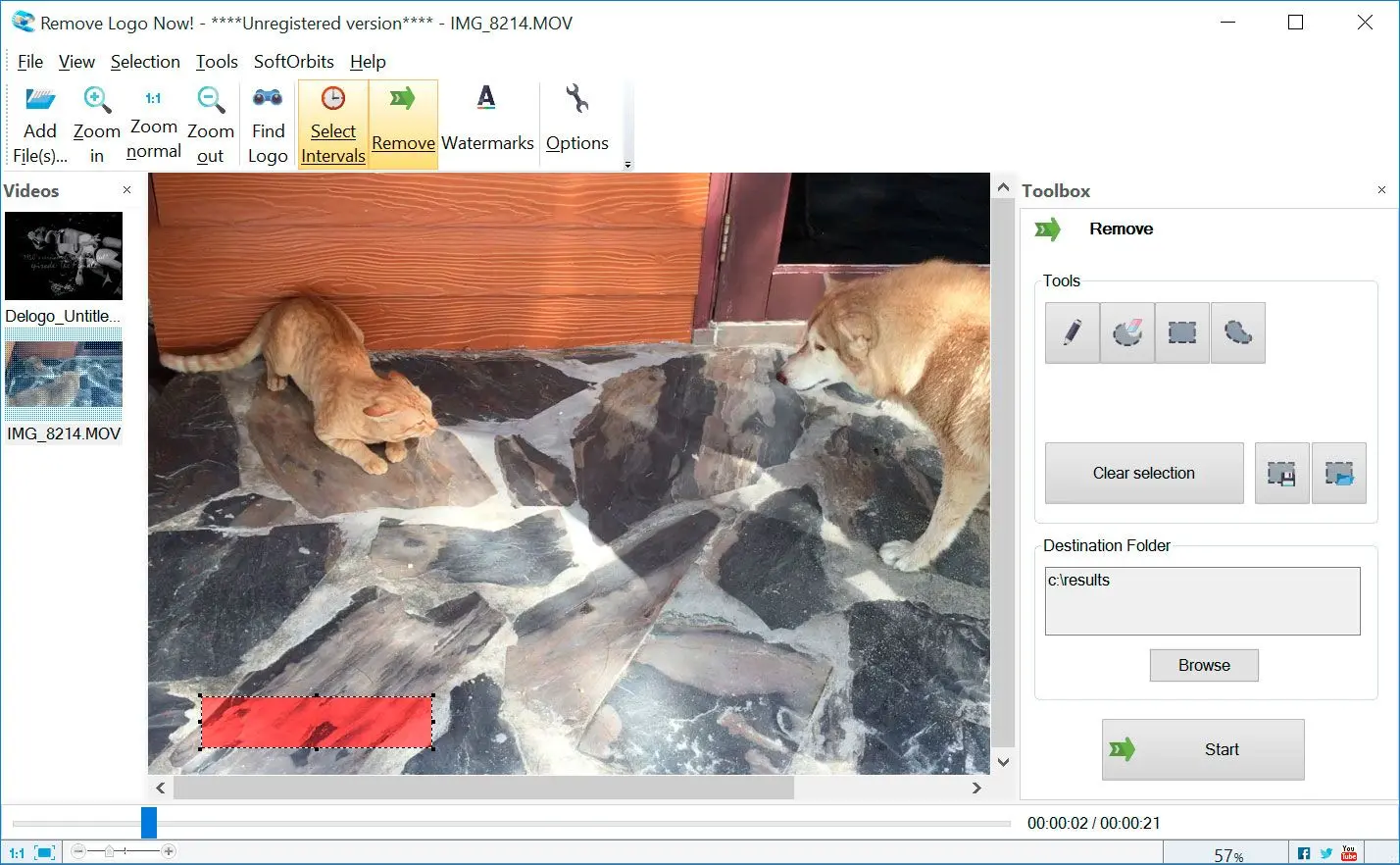
Import MP4, MOV, AVI, MKV and more, mark the faces or plates to hide, preview, then export a clean, privacy-safe video.
Privacy-ready video in minutes
Anonymize footage before you share it with insurers, post it online, or hand it to a client.
How to use it
Import your video
Add a clip that shows faces, heads, or license plates you need to hide.
Mark faces and plates
Select the faces, heads, or plates to cover; step through frames if people or cars move.
Export a clean video
Choose format and quality, render, and skim the output in a player before you share or archive it.
Benefits

Finds faces, heads, and plates
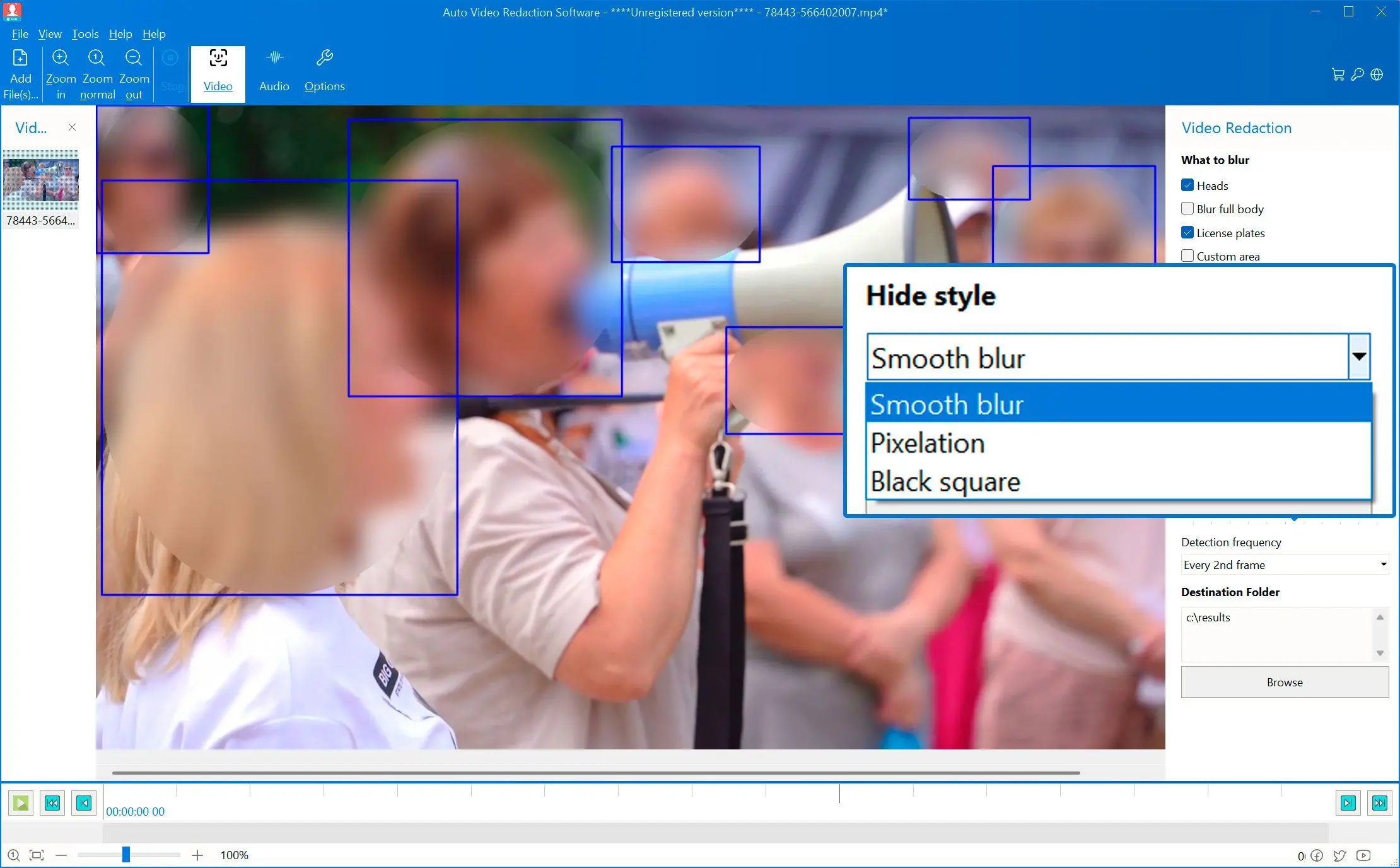
Detection boxes lock onto every face and license plate in the frame, even in busy crowd scenes.
Hide them your way
Apply smooth blur, pixelation, or a solid black box—whatever your privacy policy requires.
Drag, drop, and redact
Drop in your videos and batch-process them offline on your Windows PC—no cloud, no limits.
Why people use it
Hide faces and heads
Blur or black out people so no one is identifiable, from any camera angle.
Cover license plates
Mask vehicle plates in dashcam and street footage to protect drivers' data.
Stays on your PC
Processing runs locally on Windows—no cloud uploads, no per-minute fees.
FAQ
System Requirements
Object Remover from Videos
Languages
11.1
13.2 Mb
August 6, 2026
- Windows 11/10/8.1/8/7 (32/64 bit)
- Intel i3, AMD Ryzen 5 or above
- 4 GB of RAM or above
- NVIDIA® GeForce® series 8 and 8M, Intel® HD Graphics 2000, Quadro FX 4800, Quadro FX 5600, AMD Radeon™ R600, Mobility Radeon™ HD 4330, Mobility FirePro™ series, Radeon™ R5 M230 or higher graphics card with up-to-date drivers
- 1280 × 768 screen resolution, 32-bit color
- 1 GB of free hard disk space or above
GRT requirements trial note