Quicken to QuickBooks Converter
Move Your Books From Quicken Into QuickBooks
Convert QIF and IIF files into QBO for import into QuickBooks, with a built-in bank FI and FID lookup. CSV and PDF output included. Runs offline on your Windows PC. Free trial from GRTSoft.
Full seller details: Legal information.
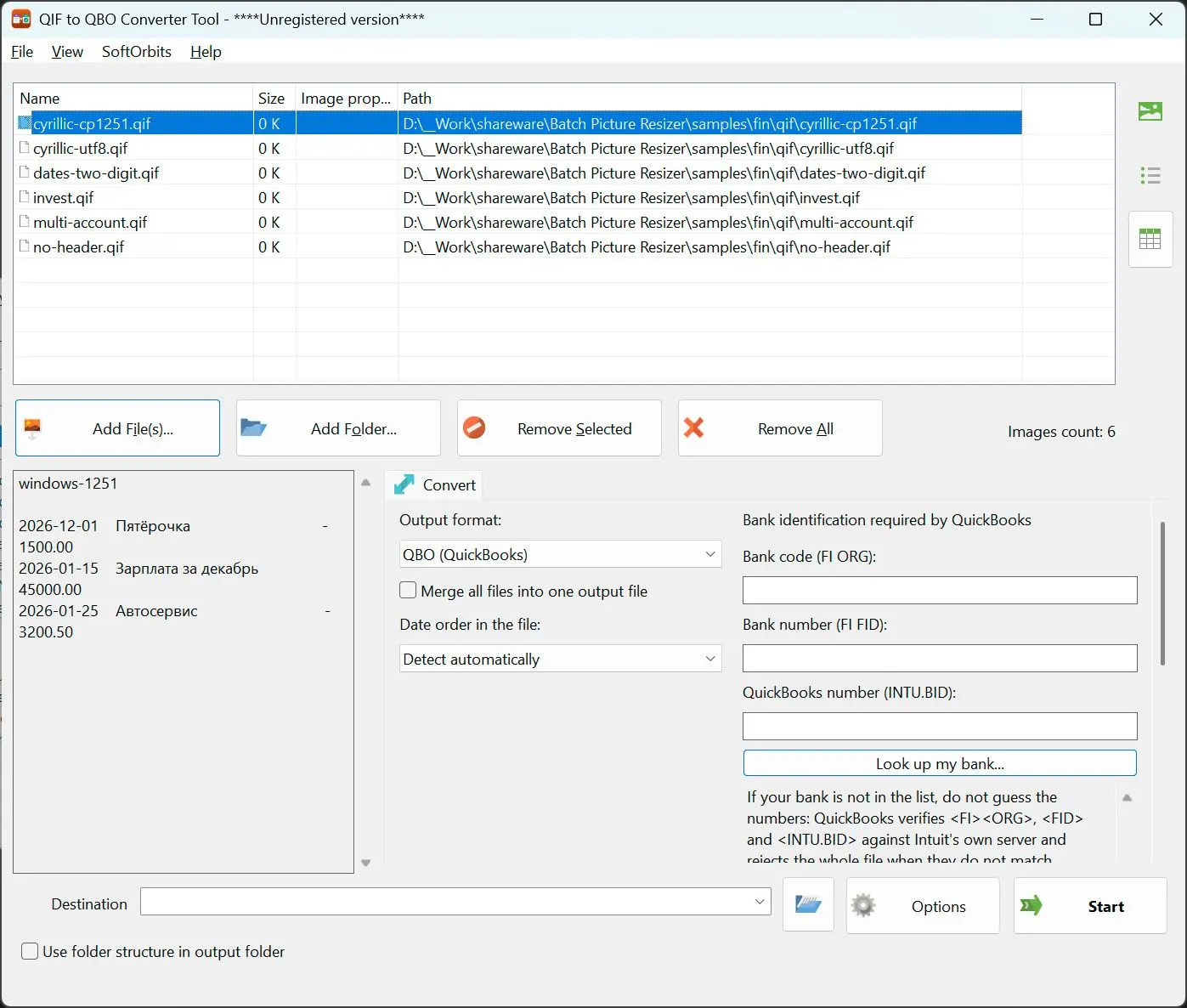
QuickBooks does not read QIF. This writes a QBO file it does accept, with a real financial institution ID attached - and it refuses to write one at all rather than hand you a file that gets rejected at import.
The import that keeps failing
Anyone who has tried this knows the pattern: a converter produces a .qbo, QuickBooks rejects it, and nothing explains why. The usual cause is the bank ID inside the file. This ships a directory of thousands of real institutions with their genuine identifiers, checks the one you picked before writing anything, and tells you in plain words when it will not work.
How to use it
Add QIF or IIF files
Both grammars are supported and each file is examined individually, so an IIF export that was saved with a .txt extension is still read as IIF. Splits, account headers and investment sections are all understood.
Pick your bank
Open the lookup and search the built-in directory of thousands of institutions, or type the FID and INTU.BID by hand if you already have them from an earlier file. Entries with a full set of identifiers are offered first.
Write QBO, CSV or PDF
QBO is the default and goes to QuickBooks. CSV is for Excel and for import maps that expect a table. PDF is for the copy someone has to read - same transactions, three destinations, one pass.
Benefits
A real bank directory, not a blank field
The lookup is built from published institution lists, merged only where the name and the identifier agree. A wrong number is worse than a missing one, so approximate matches are thrown away rather than shipped.
It refuses rather than lies
Without a usable institution ID no .qbo is written and the reason is shown word for word. A silent success here means you would only find out inside QuickBooks, days later, and blame the wrong thing.


Re-importing does not duplicate
The transaction identifier is derived from the transaction itself, not from its position in the file. Insert one row at the top and the rest keep their identity, so your bank feed does not re-import the whole month.
Why people use it
IIF as well as QIF
Exports from the desktop bookkeeping side use a different layout entirely, with columns named in a header row. Those are read too, splits inverted correctly, without you converting them to something else first.
Foreign text does not get lost
QBO has to be written in an old single-byte encoding, because declaring anything else guarantees a rejected import. Cyrillic payees are transliterated and other scripts are written as numeric references instead of being silently dropped.
CSV that survives a SUM
A split transaction is written as one row, not as a parent plus its parts, because a column total would otherwise count the money twice. The CSV header stays in English in every language, since import maps and formulas are keyed to those names.
FAQ
System Requirements
Quicken to QuickBooks Converter
Languages
1.0
9 Mb
July 27, 2026
- Windows 11/10/8.1/8/7 (32/64 bit)
- Intel i3, AMD Ryzen 5 or above
- 4 GB of RAM or above
- NVIDIA® GeForce® series 8 and 8M, Intel® HD Graphics 2000, Quadro FX 4800, Quadro FX 5600, AMD Radeon™ R600, Mobility Radeon™ HD 4330, Mobility FirePro™ series, Radeon™ R5 M230 or higher graphics card with up-to-date drivers
- 1280 × 768 screen resolution, 32-bit color
- 1 GB of free hard disk space or above
GRT requirements trial note