Lotus Notes to Outlook Converter
Convert NSF to PST on a PC That Has No Lotus Notes on It
Read IBM and HCL Lotus Notes .nsf and .ntf archives on a PC that has no Notes client and write a Unicode PST for Outlook, with folders, addresses, dates and attachments. Offline, free trial from GRTSoft.
Full seller details: Legal information.
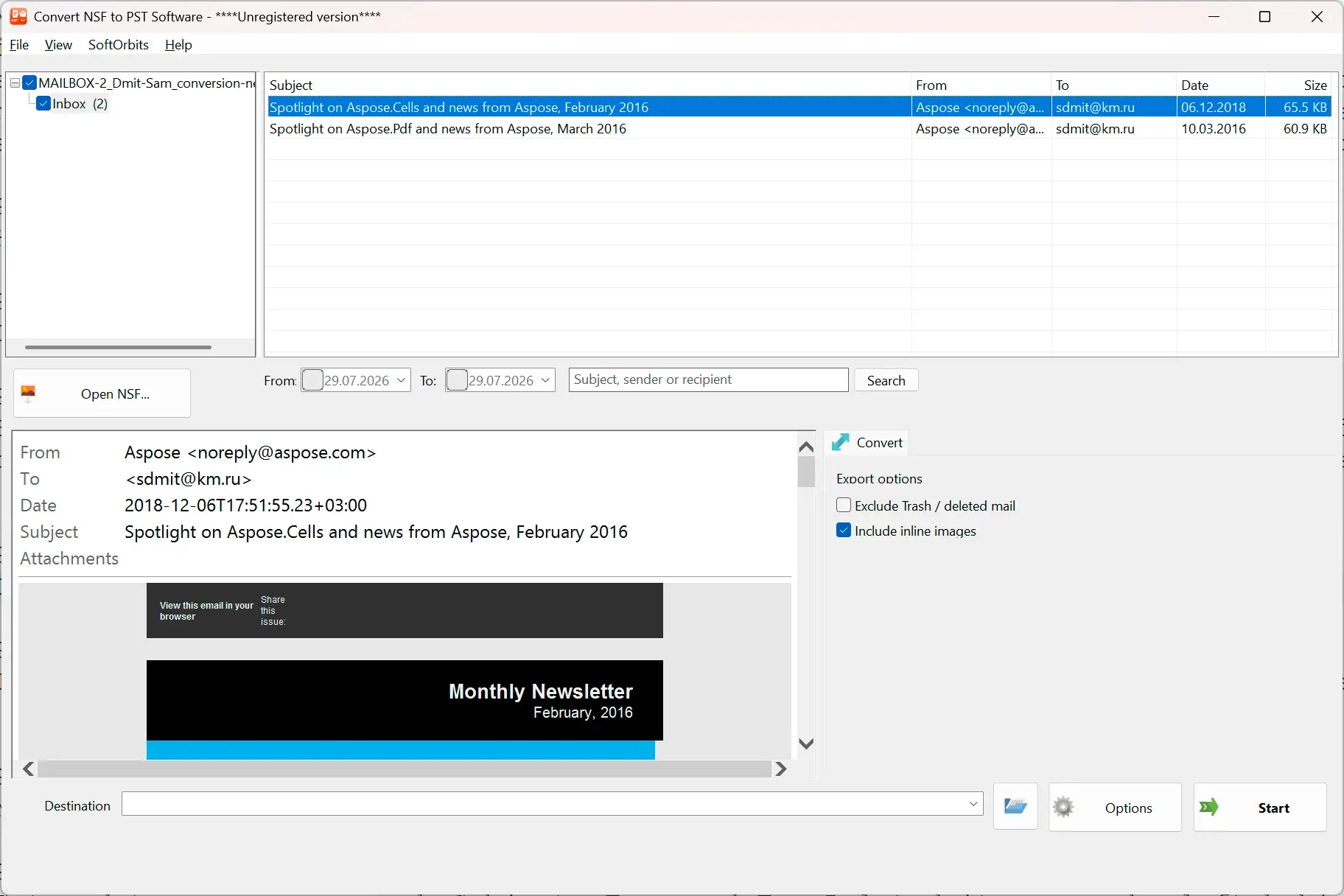
Point it at the .nsf file, look through the mail it finds, and write it out as an ordinary Outlook PST - no Notes client, no Domino server, no upload.
The company dropped Notes years ago and the archive is still sitting there
A .nsf file is the whole mailbox in one lump, and almost every tool that claims to open it wants a working HCL Notes install first - which is exactly the thing nobody has anymore. Reinstalling Notes for one archive is a licence hunt and a day of work. This reads the database file itself on your own machine and turns it into a PST that Outlook opens like any other data file.
How to use it
Open the .nsf or .ntf file
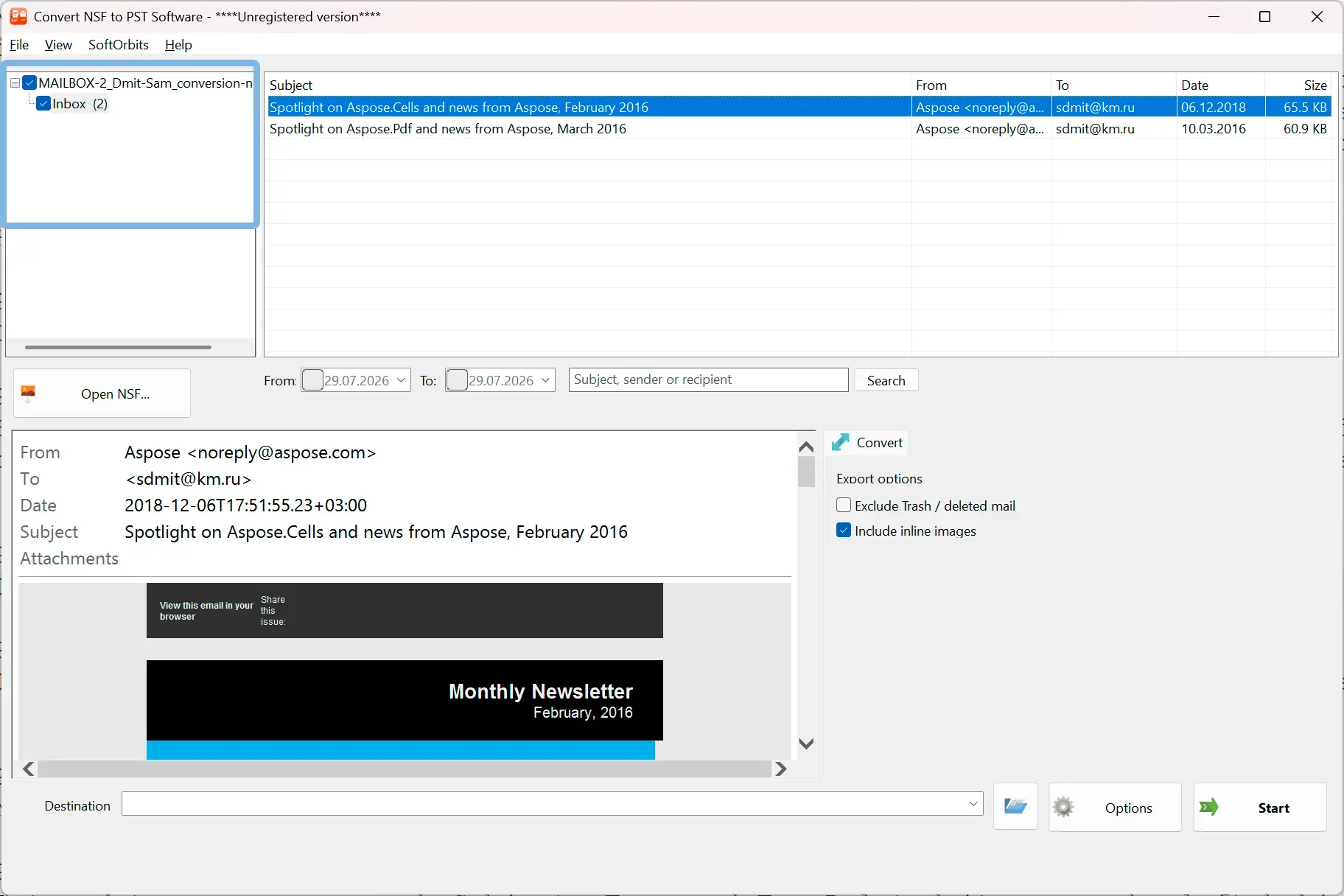
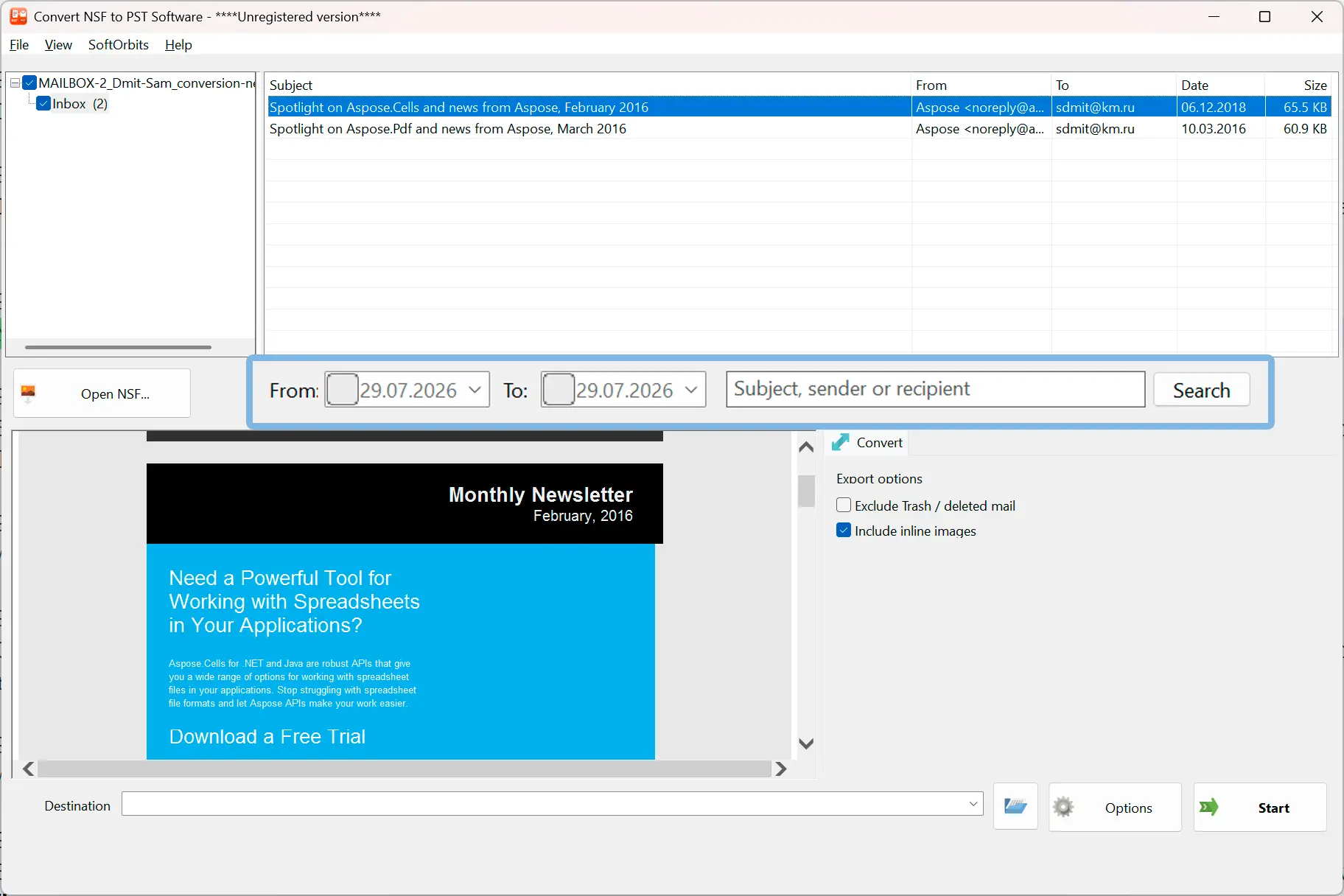
Pick the database and the folder tree inside it is listed - Inbox, Sent, Drafts and the folders the owner made. Notes databases from version 5 onwards are supported, which covers ODS 41 through 55.
Narrow it down and check it
Set a date range, search subject, sender or recipient, and leave deleted mail out. The filters run inside the reader, so the message list on screen is exactly what will end up in the PST - nothing more turns up later.
Write the Outlook PST
What you selected is written to a Unicode PST with the folder tree, subject, body, From, To, Cc and Bcc, dates, read status and attachments. The .nsf is opened for reading only and is never touched.
Benefits
No HCL Notes client required
Nearly every competing converter lists an installed Notes client in its system requirements, and some state outright that conversion is technically impossible without one. This one parses the database format directly, so an old archive on a plain Windows PC is enough. Nothing is uploaded and no server is contacted.
Attachments come out as real files
Domino can store attachments compressed on the server, and a converter that does not unpack that format hands back an empty attachment list. Across our test corpus 30 of 67 attachments were stored that way. They are decompressed and checked against the declared size and file signature before release.
Addresses you can actually reply to
Notes stores people as canonical names, not email addresses. The real SMTP address is pulled out of the message headers Domino kept, instead of dropping a display name into the From field and leaving you with mail nobody can answer.
Why people use it
Both message stores are read
Bodies are taken from the native Notes rich text stream and from the original MIME when Domino kept the message the way it arrived over SMTP, so formatted mail does not come out blank.
Folders named the way you expect
Internal container names such as ($Inbox) are mapped back to plain Inbox, subfolders keep their place, and mail visible both in a folder and in All Documents is written once rather than twice.
Large archives and no 2 GB wall
The database reader is a separate 64-bit process, so multi-gigabyte .nsf files load without the address space limit that stops 32-bit tools, and a parser fault cannot take the interface down with it.
FAQ
System Requirements
Lotus Notes to Outlook Converter
Languages
1.0
6 Mb
July 28, 2026
- Windows 11/10/8.1/8/7 (32/64 bit)
- Intel i3, AMD Ryzen 5 or above
- 4 GB of RAM or above
- NVIDIA® GeForce® series 8 and 8M, Intel® HD Graphics 2000, Quadro FX 4800, Quadro FX 5600, AMD Radeon™ R600, Mobility Radeon™ HD 4330, Mobility FirePro™ series, Radeon™ R5 M230 or higher graphics card with up-to-date drivers
- 1280 × 768 screen resolution, 32-bit color
- 1 GB of free hard disk space or above
GRT requirements trial note