MSG Email Reader
Read a .msg Without Outlook or Office
Open and read Outlook MSG files on Windows without Outlook. Browse folders of messages, view them as sent, open attachments, print or save as MSG, EML or HTML. Free trial.
Full seller details: Legal information.
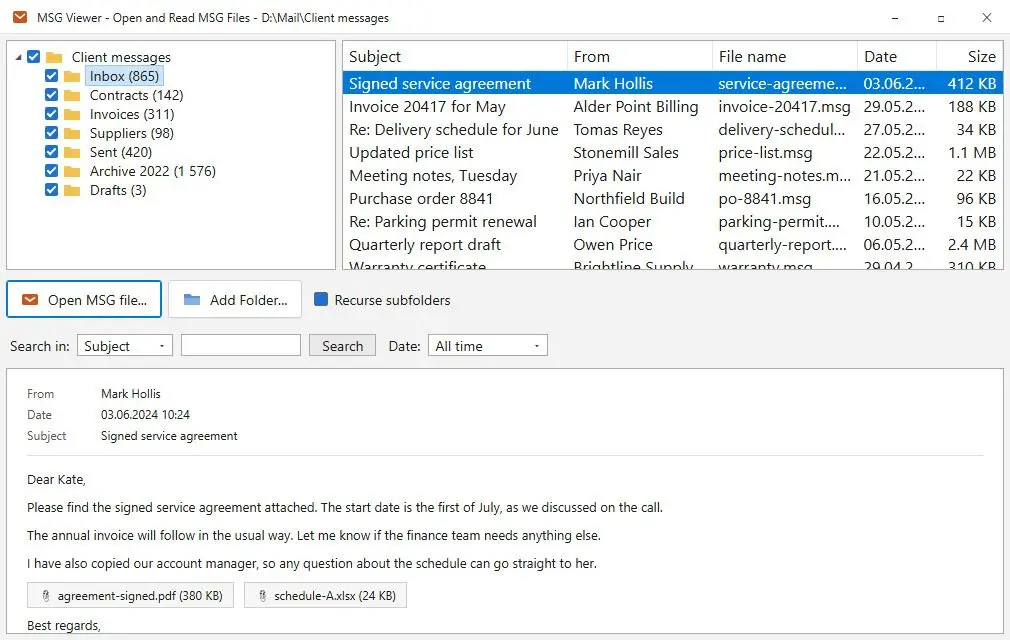
Open the .msg a client emailed or a colleague dragged out of Outlook and read it with its sender, date, layout and attachments. Add a whole folder and every message lands in one list. No Outlook, no Microsoft 365 plan, no MAPI.
Outlook made the file. You do not have Outlook.
Outlook writes a .msg every time someone drags a message to the desktop, saves it with Save As or attaches one email to another. The file then lands on a PC with no Office, and Windows asks which app should open it. New Outlook reads .msg only with the right Microsoft 365 subscription, and classic Outlook means installing Office. For one invoice, one contract or one piece of evidence, that is a lot. This opens the file, shows what is in it, lets you take the attachments out, and leaves it at that.
How to use it
Open a message or a folder
Pick one or several .msg files, drag a folder onto the window, or add a folder with Recurse subfolders on. Files that are already listed are skipped, and so are files in other formats.
Narrow the list
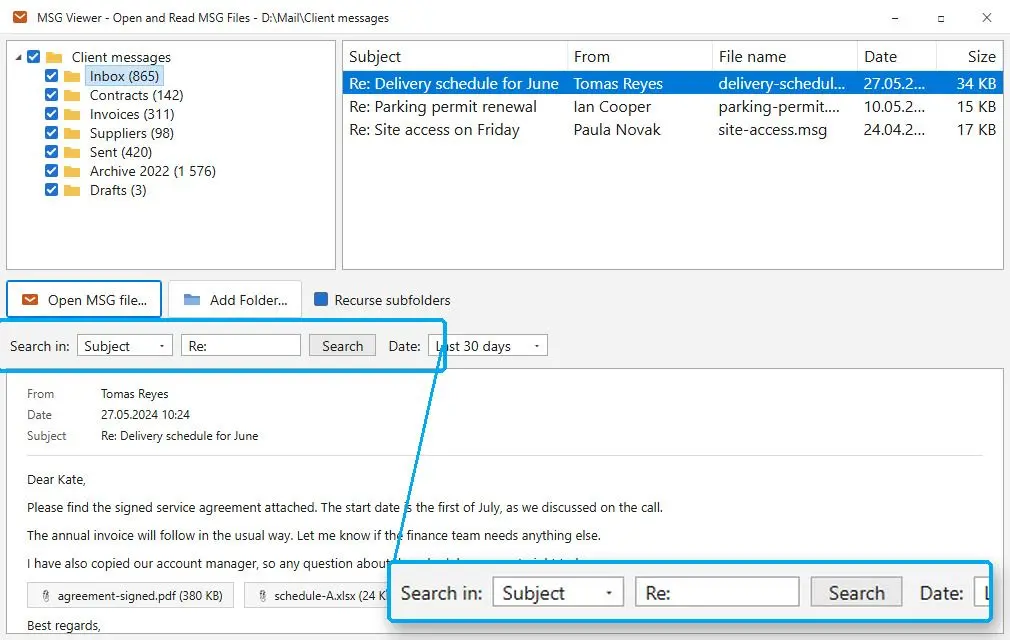
Every message gets a row with subject, sender, file name, date and size. Type a word into the search box or choose a period under Date to get down to the one you need.
Read it, then keep what matters
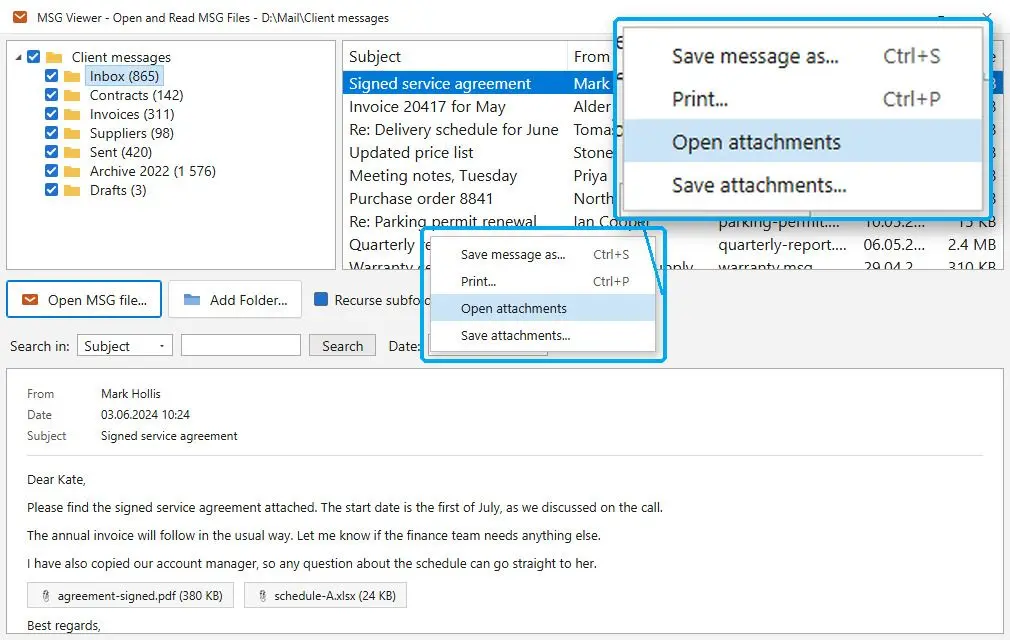
The preview shows the message with scripts and remote pictures blocked. Save it as MSG, EML or HTML, print it, or copy its attachments to a folder. All of it works on the one message in front of you.
Benefits

Its own MSG reader, not Outlook's
The Outlook message format is parsed by the program itself, so neither Outlook nor MAPI has to be present. It also checks what a file really contains: a .msg renamed to .dat still opens when you pick it, and an HTML page renamed to .msg opens as HTML.
Your Outlook setup is left alone
Setup only adds the reader to the Open with menu. If Outlook is on the machine, a double-click on a .msg still opens it there, and uninstalling takes the menu entry away again.
Three ways to save a message
MSG gives a byte-for-byte copy that reopens in Outlook as received. EML carries the full transport headers and every recipient into a format almost any other mail program reads. HTML saves the body as the preview shows it, for someone who only has a browser.
Why people use it
Attachments without the guesswork
The program reads the attachment records stored in the file, so Open attachments and Save attachments are grayed out when nothing is attached. Saved files keep their names, a clash gets (2) instead of an overwrite, and Windows marks them as downloaded content.
Files it cannot read are named, not hidden
A damaged .msg, or a file that is not an Outlook message at all, stays in the list marked as unreadable, with the reason. Messages protected with rights management, the Do not forward kind, are encrypted and stay closed: this reader does not decrypt them.
Nothing leaves your disk
Online MSG viewers want the message and its attachments uploaded to their server. Here the file is read where it lies, and the program only goes online to check for updates or when you buy a license.
FAQ
System Requirements
MSG Email Reader
Languages
3.8
25 Mb
September 26, 2026
- Windows 11/10/8.1/8/7 (32/64 bit)
- Intel i3, AMD Ryzen 5 or above
- 4 GB of RAM or above
- NVIDIA® GeForce® series 8 and 8M, Intel® HD Graphics 2000, Quadro FX 4800, Quadro FX 5600, AMD Radeon™ R600, Mobility Radeon™ HD 4330, Mobility FirePro™ series, Radeon™ R5 M230 or higher graphics card with up-to-date drivers
- 1280 × 768 screen resolution, 32-bit color
- 1 GB of free hard disk space or above
GRT requirements trial note