
MBOX File Reader
Open an MBOX File on Windows
Open .mbox archives on Windows with no mail client installed. Read a single file or a whole Thunderbird profile folder, filter by sender, subject or date. Files are opened read-only. Free trial.
Full seller details: Legal information.
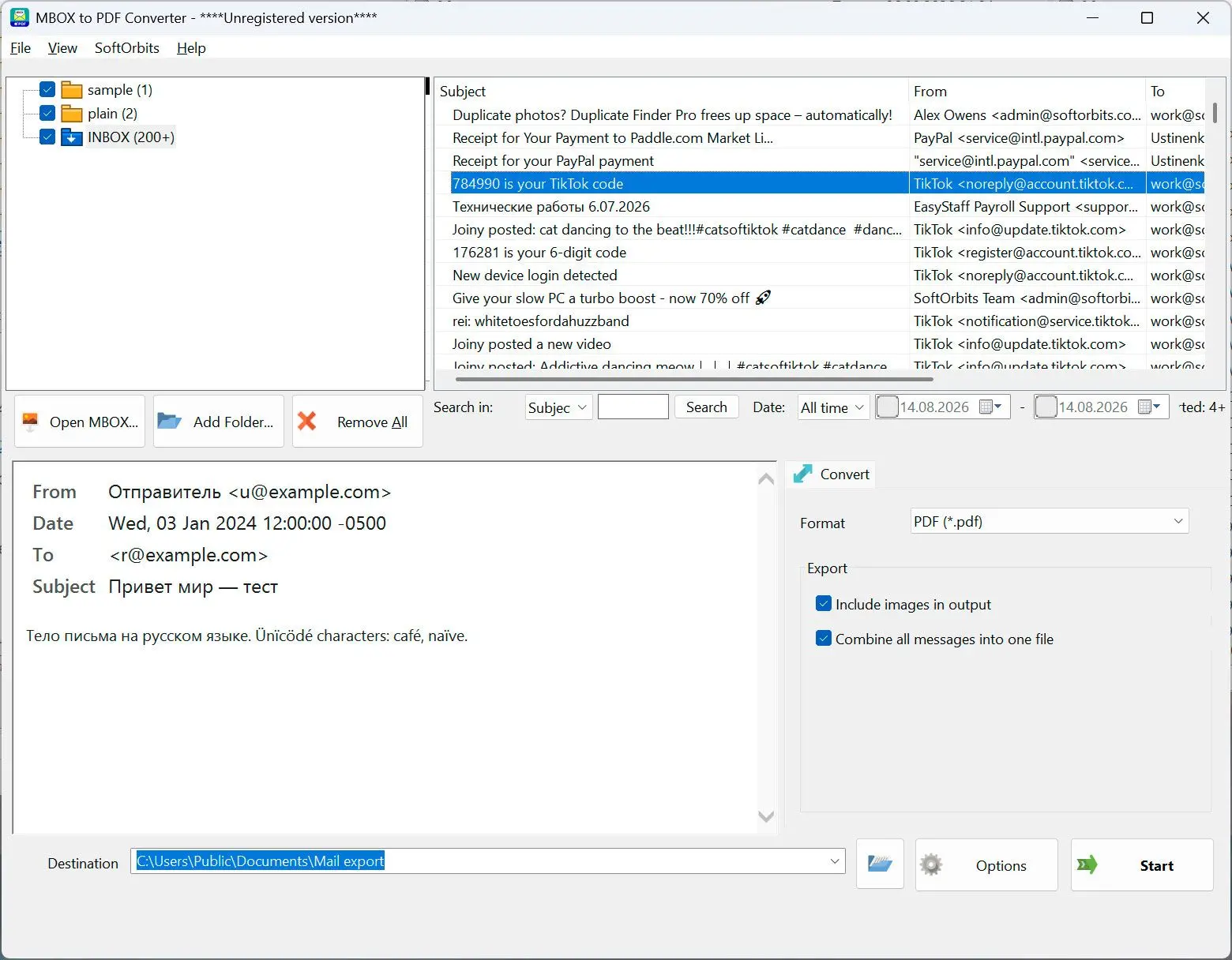
Drop in a single .mbox, or point it at a Thunderbird profile folder and get the whole account. Folder tree, message list and the message itself - with no mail client installed and nothing imported anywhere.
The export that nothing on Windows opens
MBOX is what comes out of Thunderbird, Apple Mail and Google Takeout, and Windows has no idea what to do with it. Rename it to .txt and you get one endless wall of headers and base64. The standard workaround is to install Thunderbird, create a profile and import the archive into it, which is a lot of setup for a question like "did that invoice ever actually arrive". This opens the file where it already lies and answers that.
How to use it
Add a file or a whole profile
A single .mbox opens on its own. Point it at a Thunderbird profile folder instead and the tree is built for you, with Inbox, Sent, Drafts, Deleted and Junk recognised, including the mail files that carry no extension at all.
Narrow it down
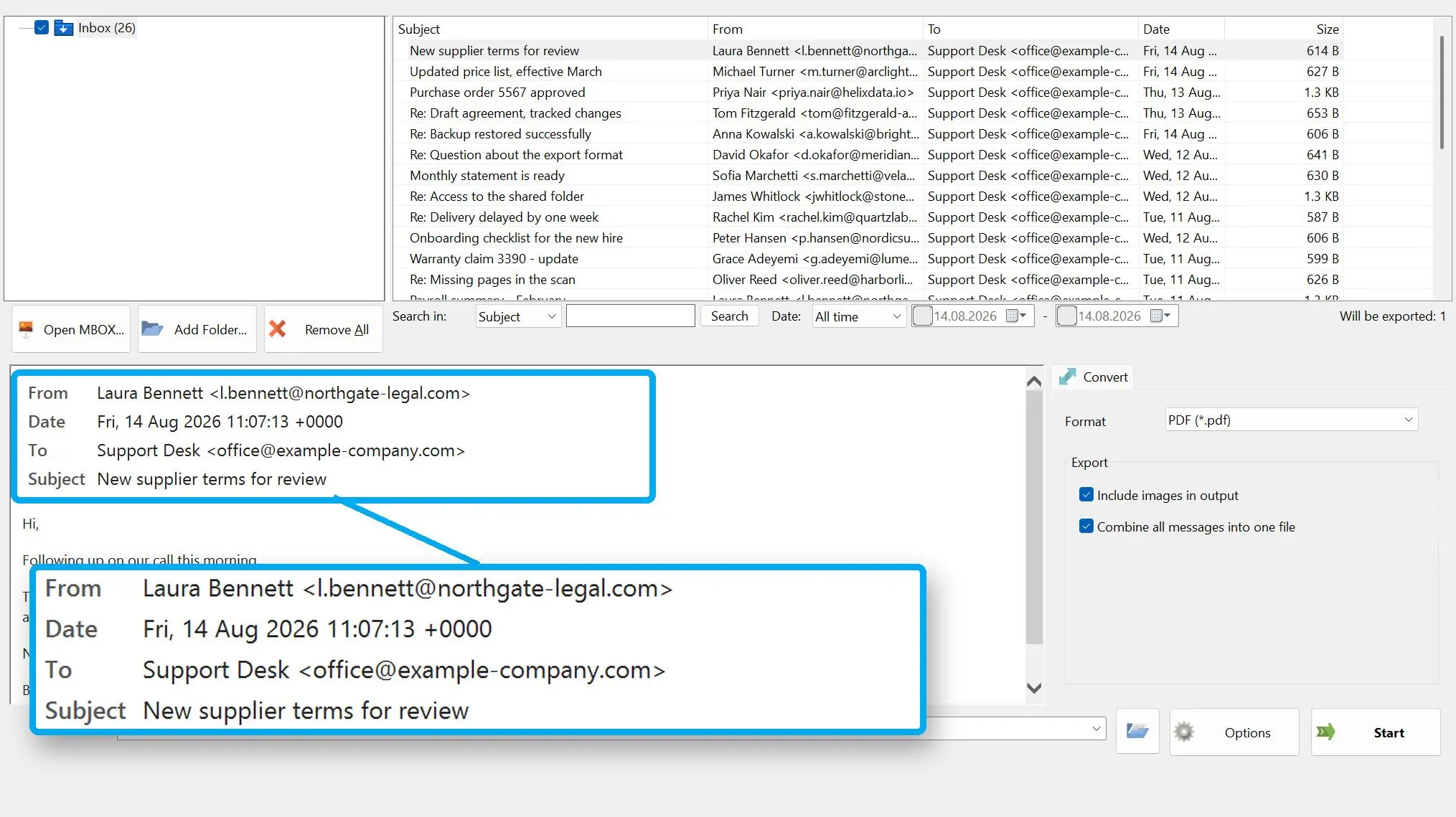
Filter by subject, sender, recipient, body text or a date range. The message opens at the full width of the window with its formatting and inline images intact, not as raw source.
Take the one message with you
Save the open message as EML, PDF or HTML, or send it to the printer through the normal Windows dialog. That is the whole export: one message you picked, not a batch run.
Benefits
A Thunderbird profile, not just a file
Most tools want one .mbox at a time. Hand this one the profile folder you copied off the old machine and it walks the folder, works out which files inside are mail stores by looking at them, and lays the account out as a tree.
Nothing is written back
The archive is opened for reading only. No index file is dropped beside it, no message is marked as read and nothing is appended, so the copy you keep for the record stays exactly as it was.
No mail client to install
There is no profile to create, no account to configure and no import that has to finish before you are allowed to look at anything. Open the file, read the mail, close the program.
Why people use it
Files without an extension are handled
Thunderbird keeps Inbox and Sent as plain files with no suffix, which is exactly why they are invisible to a tool that goes by extension. Here the content is checked instead, so those files open like any .mbox.
Large archives load while you read
A multi-gigabyte Inbox is streamed in chunks, so the list starts filling straight away rather than holding the window until the whole file has been parsed. Folder counts are the real totals.
It stays on your machine
The archive is read from your own disk. Nothing is uploaded, there is no account to create, and no subject line or address ever reaches a server of ours.
FAQ
System Requirements
MBOX File Reader
Languages
3.2
25 Mb
July 8, 2026
- Windows 11/10/8.1/8/7 (32/64 bit)
- Intel i3, AMD Ryzen 5 or above
- 4 GB of RAM or above
- NVIDIA® GeForce® series 8 and 8M, Intel® HD Graphics 2000, Quadro FX 4800, Quadro FX 5600, AMD Radeon™ R600, Mobility Radeon™ HD 4330, Mobility FirePro™ series, Radeon™ R5 M230 or higher graphics card with up-to-date drivers
- 1280 × 768 screen resolution, 32-bit color
- 1 GB of free hard disk space or above
GRT requirements trial note