
AI Photo Cull Assistant
Cull a Full Photo Shoot in Minutes, Not Hours
Sort a big shoot fast: local AI flags blurry, soft-focus, closed-eye and duplicate frames and tells you why, so you keep the keepers. You make the final pick. GRTSoft AI Photo Cull Assistant runs on your PC, nothing uploaded.
Full seller details: Legal information.
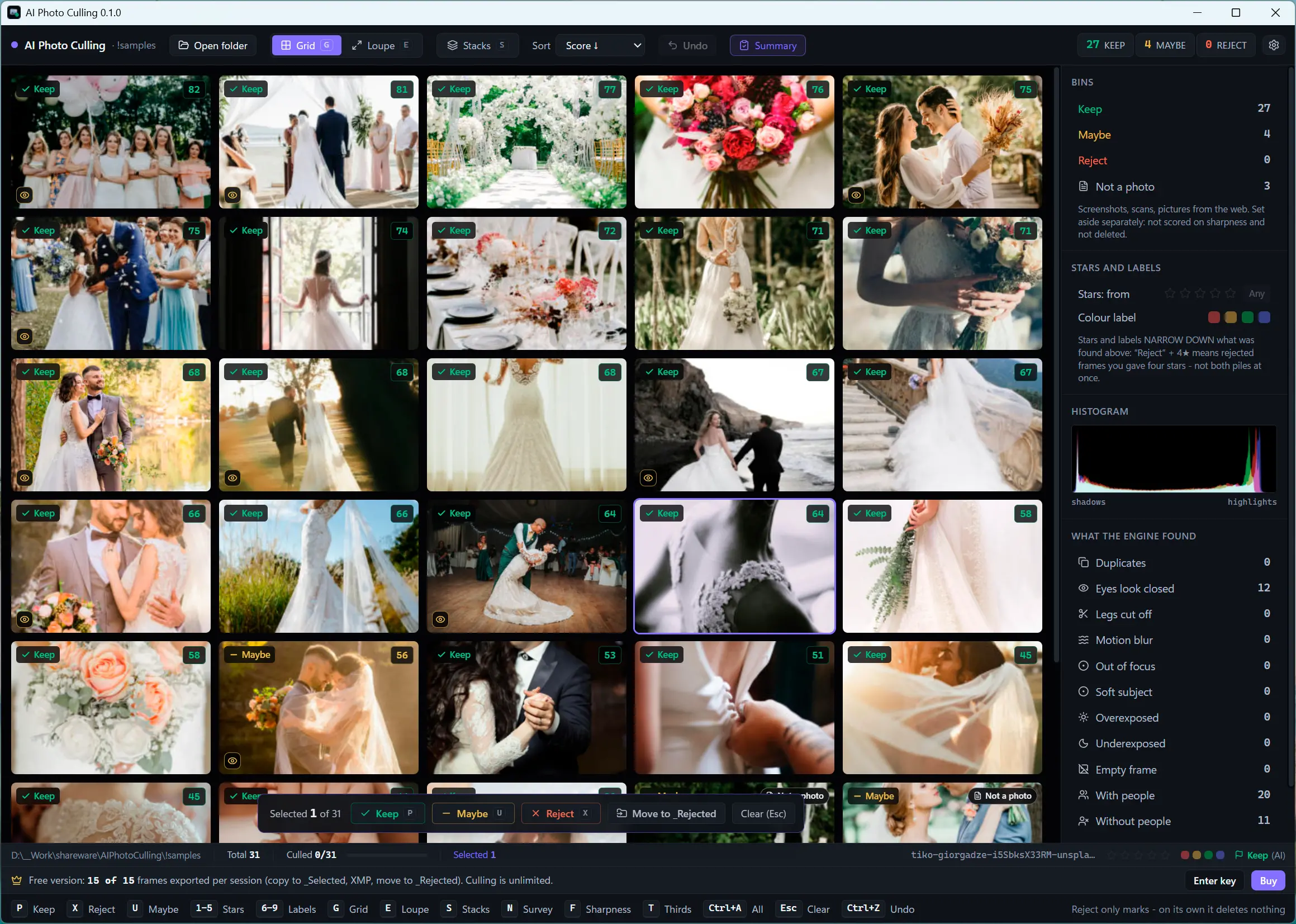
It clears out the obvious rejects and shows what is wrong with each frame - the keepers are still your call.
You came back with 3,000 frames and no evening to spare
After a trip or an event, most of the work is not choosing the best shot - it is throwing out the misfires. Open the folder and every frame is checked on your own PC for blur, soft focus, closed eyes, and near-identical repeats, with the reason shown right on the thumbnail. The AI removes the junk; you pick the winners.
How to use it
Open the folder
No wizard and no import step. Analysis starts on sensible defaults and thumbnails stream into the grid as they are scored, so you can work before the scan has finished.
Skim the flags
Each thumbnail carries icons for what is wrong - blur, soft focus, closed eyes, a backlit face - and filters let you pull up one problem at a time or stack a burst into a single card.
Keep, maybe, reject
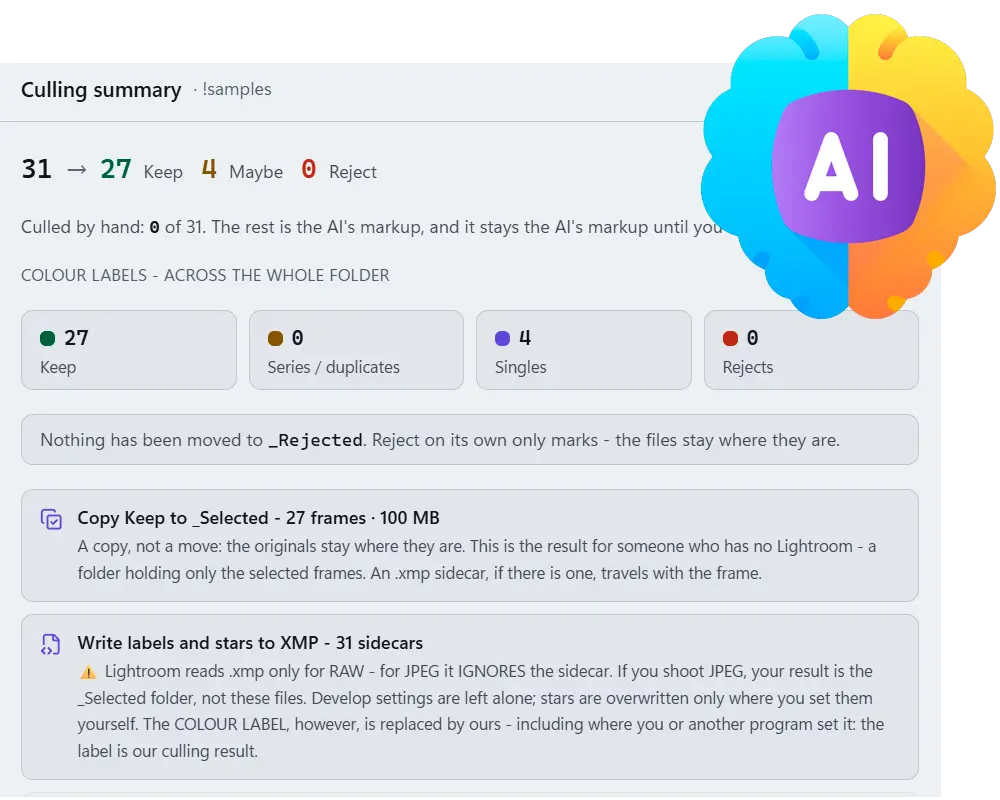
Sort with the Lightroom keys you already know (P, X, U, 1-5), then copy the keepers to _Selected, write XMP sidecars for Lightroom or Capture One, and move rejects to _Rejected.
Benefits
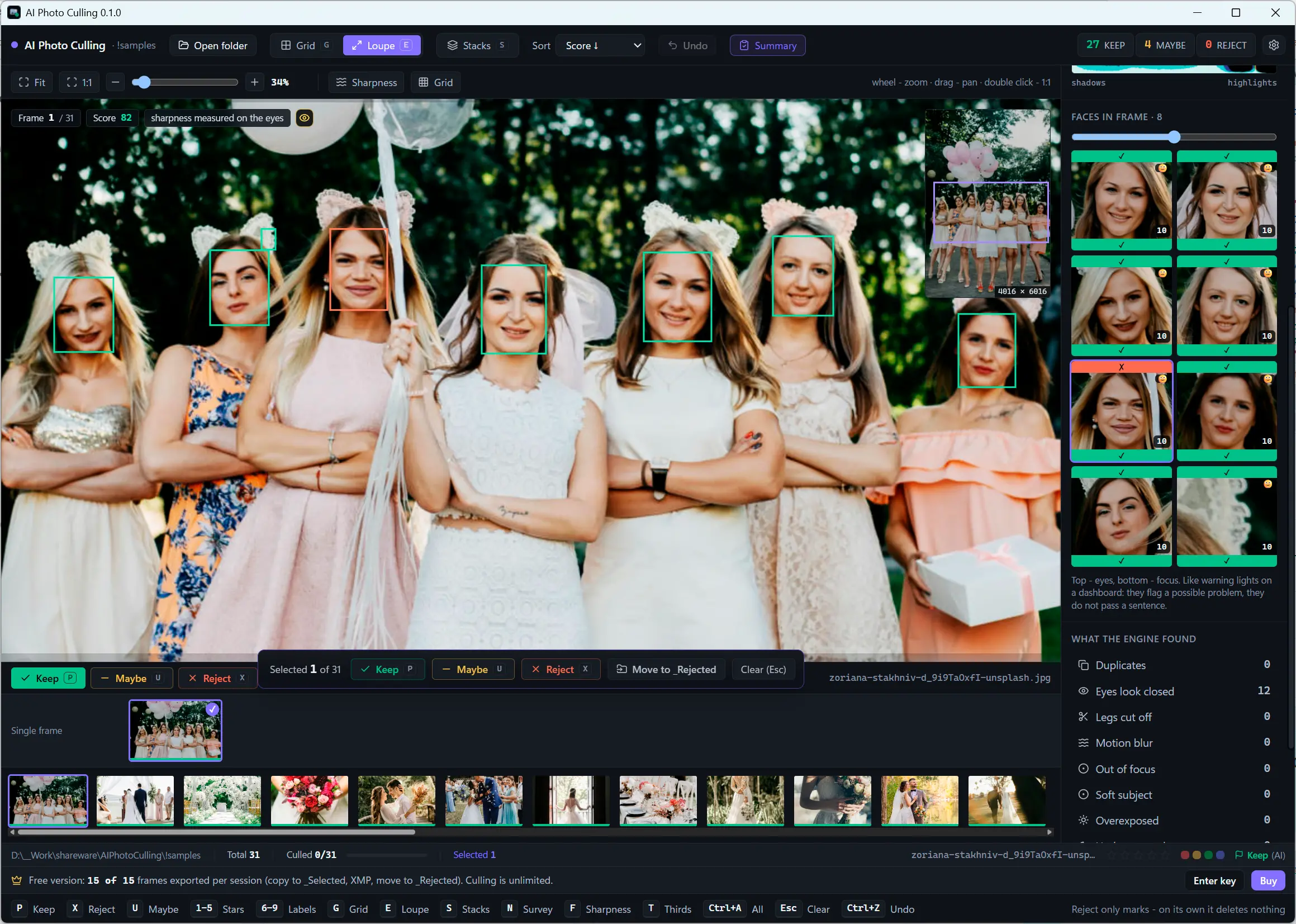
It tells you why, not just what
Every flag comes with the reason in plain words - like warning lights on a dashboard, not a verdict. Nothing hides behind a single mystery score you cannot argue with.
Sharpness judged on the subject
A portrait shot wide open with a soft background is not a mistake, so focus is measured on the face or subject rather than across the whole frame.
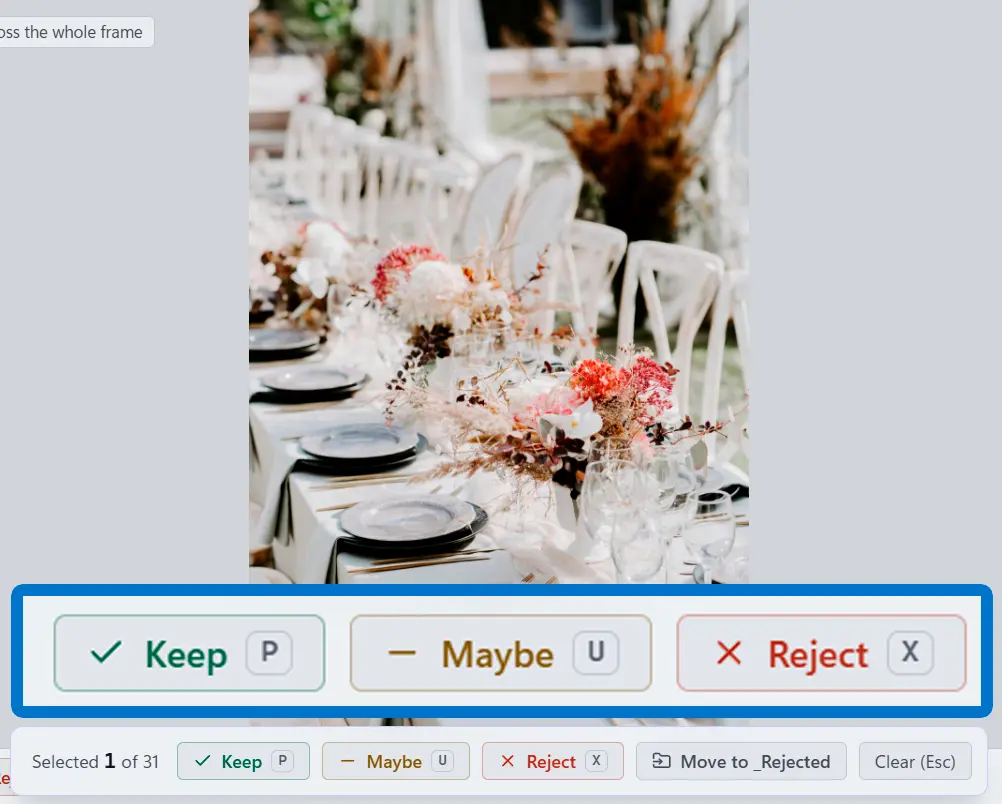
Reject never means delete
Rejected frames are marked and moved to a _Rejected folder, never erased. HDR brackets are protected from bulk actions, and every mass action previews the count and can be undone.
Why people use it
Bursts collapse into stacks
A series is grouped by time and visual similarity together, so three shots of the same smile stack into one card while a river and a road taken seconds apart stay separate.
RAW and HEIC included
Reads JPEG, PNG, WebP, HEIC/HEIF and 23 RAW formats - CR2, CR3, NEF, ARW, DNG, ORF, RAF, RW2 and more - straight from the card.
Runs on your PC, no GPU needed
The models run locally on the CPU of an ordinary Windows 10 or 11 x64 machine. Your photos never leave the computer and there is no upload queue between you and the results.
FAQ
System Requirements
AI Photo Cull Assistant
Languages
1.0
19 Mb
August 5, 2026
- Windows 11/10/8.1/8/7 (32/64 bit)
- Intel i3, AMD Ryzen 5 or above
- 4 GB of RAM or above
- NVIDIA® GeForce® series 8 and 8M, Intel® HD Graphics 2000, Quadro FX 4800, Quadro FX 5600, AMD Radeon™ R600, Mobility Radeon™ HD 4330, Mobility FirePro™ series, Radeon™ R5 M230 or higher graphics card with up-to-date drivers
- 1280 × 768 screen resolution, 32-bit color
- 1 GB of free hard disk space or above
GRT requirements trial note